Ghost Mannequin Service: Outsourcing vs Software vs DIY (2026 Cost Guide)
By Snaproom · April 27, 2026 · 10 min read
If you've decided you need ghost mannequin photos for your fashion brand, the next question is who, or what, is going to make them for you. The decision used to be simple: book a photographer, hire a retoucher, accept the cost. In 2026 that decision has split into four real options, each with a different cost profile, turnaround time, and quality ceiling.
This guide walks through every realistic ghost mannequin service path available to a small or mid-sized fashion brand right now, with honest pricing categories rather than specific dollar figures (rates change, vendors come and go). The aim is to help you pick the option that fits your catalogue size, release cadence, and quality expectations, not to push you toward one answer.
For most small Shopify brands, AI software has quietly become the default in 2026. But agencies and traditional photographers still have a role, and a few specific situations make hiring them the better call. The trick is knowing which situation you're in before you spend.
If you're newer to the format itself and want a primer on what ghost mannequin photography is and why it dominates fashion ecommerce, start with our complete guide to ghost mannequin photography. This piece assumes you already know you want the look, you just don't know who should produce it.
There are four realistic ways to get ghost mannequin photos for your catalogue. Each one solves a slightly different problem.
The traditional all-in-one option. You ship garments to a studio, they shoot on a mannequin, their in-house retouchers produce the ghost mannequin composite, and you receive finished images.
Standalone retouching agencies that take your existing studio photos (shot on a mannequin, with a separate inner-neck shot) and produce the ghost mannequin composite. You handle the photography yourself or with a freelance photographer, then send the files for editing.
Self-serve AI tools that produce ghost mannequin shots from a single garment photo, often a hanger or flat-lay shot, in under a minute. No mannequin required, no retouching, no waiting.
You shoot the garment yourself, then mask and composite the ghost mannequin effect manually in Photoshop. The cost is your time and skill.
A quick way to think about the four options across the dimensions that matter:
| Option | Cost category | Turnaround | Best at | Worst at |
|---|---|---|---|---|
| Studio + retouching | Premium | 1 to 3 weeks | Full campaigns, hero imagery, difficult fabrics | Fast iteration, low-volume catalogues |
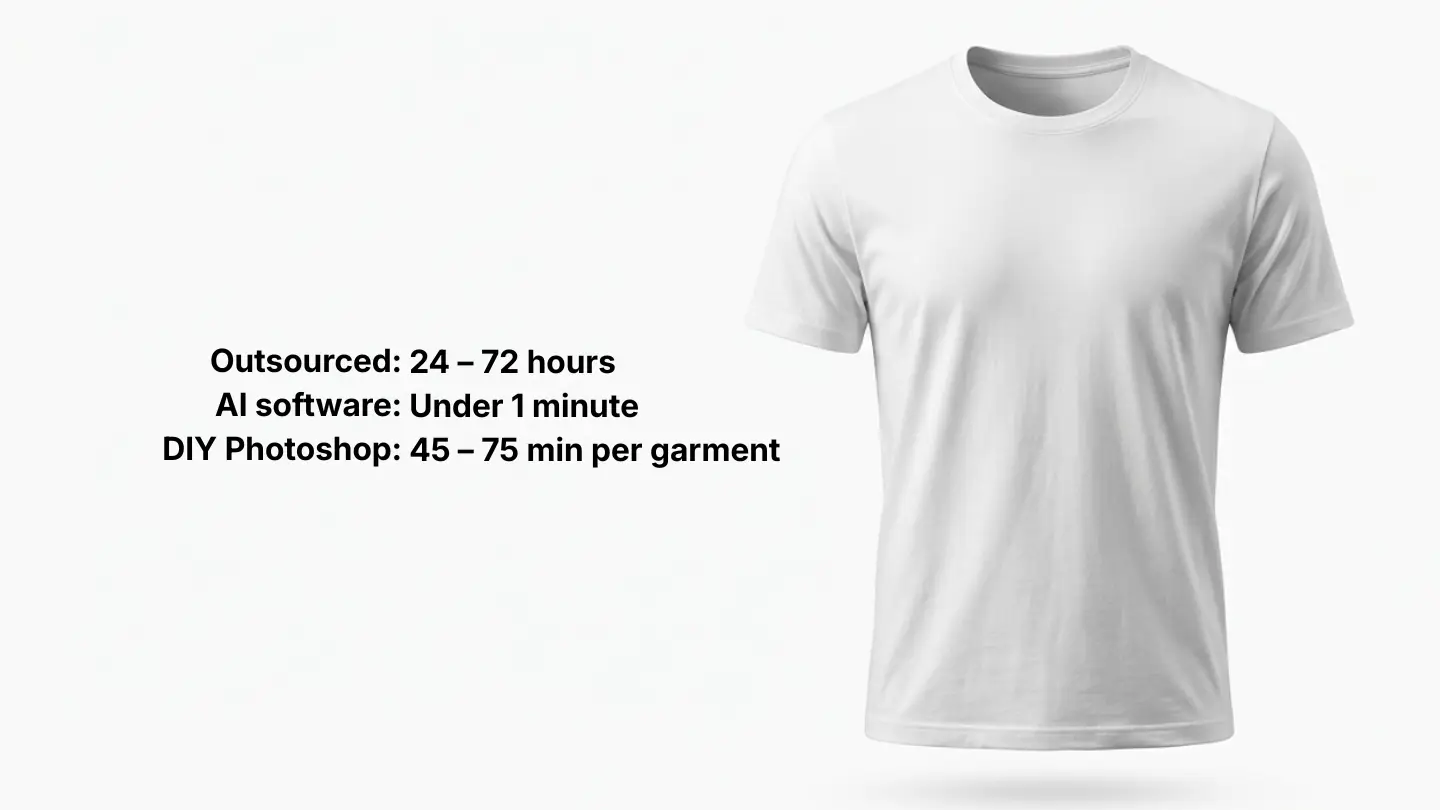
| Outsourced retouching | Mid | 24 to 72 hours | Regular shoots, controlled spend | Quality consistency at low end |
| AI software | Cheap | Under 1 minute | Standard catalogues, frequent SKU drops | Sheer, sequinned, complex garments |
| DIY Photoshop | Cheap (time-heavy) | Variable | Founders with the skill, tiny catalogues | Scaling beyond a handful of SKUs |
Most small fashion brands fall cleanly into the AI software row. The brands that should still be paying for the other three options have specific reasons that we'll get into below.
Cost, turnaround, and quality don't move together. Here's what each option genuinely wins on, beyond the marketing.
AI software is the cheapest path by a wide margin once you're past five or six garments per month. DIY Photoshop is technically free in cash but consumes hours per garment. Outsourced retouching sits in the middle. Studio shoots are the most expensive, especially per-SKU at small volumes.
The thing nobody mentions: cost per image isn't the right metric. Cost per usable image is. A cheap freelance retoucher who delivers five out of ten images that need rework costs more than they look. AI software with a quick regenerate button often wins on this dimension even when its headline price isn't the lowest.
AI software wins outright. Generation in under a minute means a sample that arrives Monday morning has finished product imagery on the Shopify storefront by Monday afternoon. No other option gets close.
Outsourced retouching is the next-fastest, with established agencies turning around batches in 24 to 72 hours. Photography studios run on shoot schedules, so even a fast turnaround is one to three weeks from booking. DIY is whatever pace you can sustain.
Speed compounds. Brands that can put new SKUs live the same day they arrive in the warehouse outsell brands that wait six weeks for the next quarterly shoot. This is the dimension where AI changes the economics of running a small fashion brand, not just the editing workflow.
A premium photography studio with skilled retouchers produces the highest-quality ghost mannequin work available. There's no AI tool that beats them on a hero image for a brand campaign with sheer eveningwear. The ceiling exists, and it's real.
But the ceiling rarely matters for the work most small brands actually need. A Shopify category page, an Amazon listing, a wholesale linesheet, none of these need the absolute top of the quality range. They need clean, consistent, marketplace-spec imagery, which AI software now produces reliably.
The honest hierarchy: premium studio > experienced agency retouching ≈ AI software > freelance retouching > average DIY. The gap between the top two is small enough that most brands won't notice. The gap between AI and the bottom two is now in AI's favour.
Studios produce inconsistent results across long shoot days as photographers tire and retouchers rotate. Freelance marketplaces produce wildly inconsistent results because you don't know who's actually doing the work. Agencies do better but still have variance.
AI software is the most consistent option by design, the same input parameters produce the same output style across hundreds of images. For brands building a 200-SKU catalogue that needs to look unified across the category page, this is a real advantage. A smart retouch tool layered on top can enforce identical white balance, sharpness, and lighting across the full catalogue, locking in consistency that's almost impossible to maintain manually.
Upload a garment photo and get a marketplace-ready ghost mannequin shot in under a minute. No agency, no studio booking, no waiting.
Try Ghost Mannequin Free →The headline price is rarely the real cost. A few things that show up on the invoice or in your time after you've committed to a service:
Revisions and rework. Studio shoots that need a re-shoot because samples changed, agency retouching that needs three rounds of edits before the colour matches, freelance retouchers who deliver work that needs internal cleanup. AI software's free regenerate button is genuinely a financial advantage here, not a feature checkbox.
Sample shipping and handling. For studio shoots, you're shipping physical garments back and forth, sometimes internationally if the studio is offshore for cost reasons. The shipping costs and the time the samples are in transit both eat into the budget.
Communication overhead. Especially with offshore freelance retouchers, brief misinterpretation, time-zone delays, and revision rounds can stretch a 48-hour turnaround into a week. Build this into your planning if you go this route.
File format and spec drift. Different sales channels need different file specs (Amazon white background, Shopify square crop, wholesale 1500px JPEG). Services that don't account for this leave the work to you. AI tools that export to channel-specific specs natively save real time.
Re-orders when something changes. If a garment colour shifts in production, if you decide to add a new colourway, if a buyer requests a slightly different image format, what does the next round cost? With studios and agencies, you're often back at full price. With AI software, it's a regenerate.
For most small brands, hidden costs over a year add up to more than the visible cost difference between AI software and the next option up.
Even with AI software being the default for most small brands, the other three options earn their place in specific situations. A clear-eyed read on when to use each:
You're shooting a full brand campaign with hero imagery, lifestyle shots, on-model, and ghost mannequin in a single session. You have a heritage brand with a stable catalogue (fewer than 50 new SKUs per year) and the per-SKU cost amortises over a long sales window. Your catalogue is sheer eveningwear, sequinned cocktail wear, or other garments AI struggles with. You need imagery for a print catalogue or wholesale lookbook where pixel-perfect quality matters.
If none of these apply, you're probably overpaying.
You already have a photographer (in-house or freelance) producing studio shots with mannequin and inner-neck images. You have a regular monthly shoot cadence and want to control retouching spend without hiring in-house. You need turnaround in days rather than minutes but faster than a full studio booking. You have specific complex pieces (the difficult 20% of your catalogue) that need manual attention while AI handles the rest.
You're a small Shopify, TikTok Shop, or Amazon brand. Your catalogue is mostly knitwear, t-shirts, shirts, outerwear, jeans, or skirts. You release new SKUs regularly (monthly or faster). You need turnaround in hours, not days. You want predictable monthly costs that don't scale with image volume.
Most small fashion brands fit cleanly into this list. If three or more of the above describe your business, AI software is almost certainly the right call.
You already know Photoshop at a competent level. Your catalogue is small and stable (under 20 SKUs per year). You're a founder who genuinely enjoys the editing work. You have unusual quality requirements that make off-the-shelf options unsuitable.
For everyone else, DIY is a false economy. The hours you spend retouching are hours not spent on merchandising, marketing, or product development.
The interesting pattern across small fashion brands that have figured this out: nobody picks one option exclusively. The workflow that wins looks like this.
80% of catalogue → AI software. Standard knitwear, t-shirts, shirts, outerwear, jeans, basics. Generated same-day, exported to channel specs, published immediately.
15% of catalogue → outsourced retouching. The tricky pieces that AI doesn't handle cleanly, sheer fabrics, sequins, complex multi-layer garments. Sent to an established agency in monthly batches.
5% of catalogue → studio shoot. Hero imagery for the homepage, paid ads, and email campaigns. Shot once or twice a year as part of a full brand campaign with on-model and lifestyle imagery alongside.
0% DIY in Photoshop. Unless you have specific reasons to keep this in-house, the time cost is almost never worth it for ghost mannequin work specifically.
This hybrid is what running a fashion brand in 2026 looks like operationally. The brands that try to put everything through one channel either overpay (everything through studios) or end up with weak imagery on a few categories (everything through AI). The winning move is matching the right tool to each piece of the catalogue.
If you're reading this because you need to decide right now, here's the shortest possible decision tree:
You're a small fashion brand with a standard catalogue and a regular release cadence. Start with AI software. Run your full catalogue through it for 30 days. Identify the 10 to 20% of garments where the output isn't good enough, and decide whether to outsource those to an agency or skip the format entirely for those SKUs.
You're shooting a brand campaign with hero imagery and lifestyle shots. Book a studio. Don't try to piece this together from AI software, you'll lose the campaign coherence that makes the spend worth it.
You already have a photographer producing studio shots. Send the files to an outsourced retouching agency. Don't pay studios for retouching they don't add unique value on.
You're an in-house designer at a heritage brand with a stable catalogue. Photoshop is fine. The per-SKU economics work for you because the salary is sunk and the catalogue doesn't churn fast.
For everyone else, the answer is the first row. AI software, then layer in agency retouching and studio shoots only where you have specific reasons.
Costs span a wide range depending on the option. AI software is the cheapest path, typically a low monthly subscription that covers high-volume generation. Outsourced retouching agencies charge per image, with rates varying significantly between established agencies and freelance marketplaces. Photography studios with full-service retouching are the most expensive, charging a per-SKU rate that bundles studio time, photographer fees, and editing. The right choice depends more on your catalogue size and release cadence than on the headline price.
AI software produces a finished ghost mannequin image in under a minute. Outsourced retouching agencies turn around batches in 24 to 72 hours. Full studio shoots with retouching take one to three weeks from booking to delivery. DIY Photoshop work runs 45 to 75 minutes per garment for a competent editor.
Yes, with two paths. You can manually create the effect in Photoshop, which requires intermediate-level skill and 45 to 75 minutes per garment. Or you can use AI software that produces the effect automatically from a single garment photo in under a minute. For most small brands, the AI path is faster and produces comparable results for standard fashion categories like knitwear, t-shirts, shirts, and outerwear.
For most fashion categories in 2026, yes. AI tools now produce results that are difficult to distinguish from professional retouching on knitwear, t-shirts, shirts, jeans, outerwear, and structured garments. The remaining gaps are in sheer fabrics, heavily reflective materials like sequins, and complex multi-layer garments, where manual retouching still has a quality edge.
A ghost mannequin photographer takes the original photographs (the garment on a mannequin, plus the inner neck shot) but may or may not handle the editing themselves. A retouching service takes existing photographs and produces the ghost mannequin composite through editing alone. Some studios bundle both into a full-service offering. AI software replaces the retouching step entirely and removes the need for the second inner-neck photograph.
Upload a garment photo, get a marketplace-ready ghost mannequin image in under a minute. Built for small fashion brands that ship fast.
Try Ghost Mannequin Free →Generate clean, professional ghost mannequin images from any garment photo in under 30 seconds.
Try it freeStudio-grade retouching for clothing photos with consistent white balance, sharpness, and lighting across your entire catalogue.
Learn more →Generate front, back, and side views from a single product photo to complete your product gallery.
Learn more →