
On-Model Fashion Photos From One Product Shot. No Studio. No Models.No Photoshoot Required.
AI Fashion Photoshoot turns a single clothing photo into a complete, brand-consistent set of studio-grade model images. Ready for your website, marketplace listings, and social, in minutes.
One upload · No card required · Results in minutes · Full commercial rights
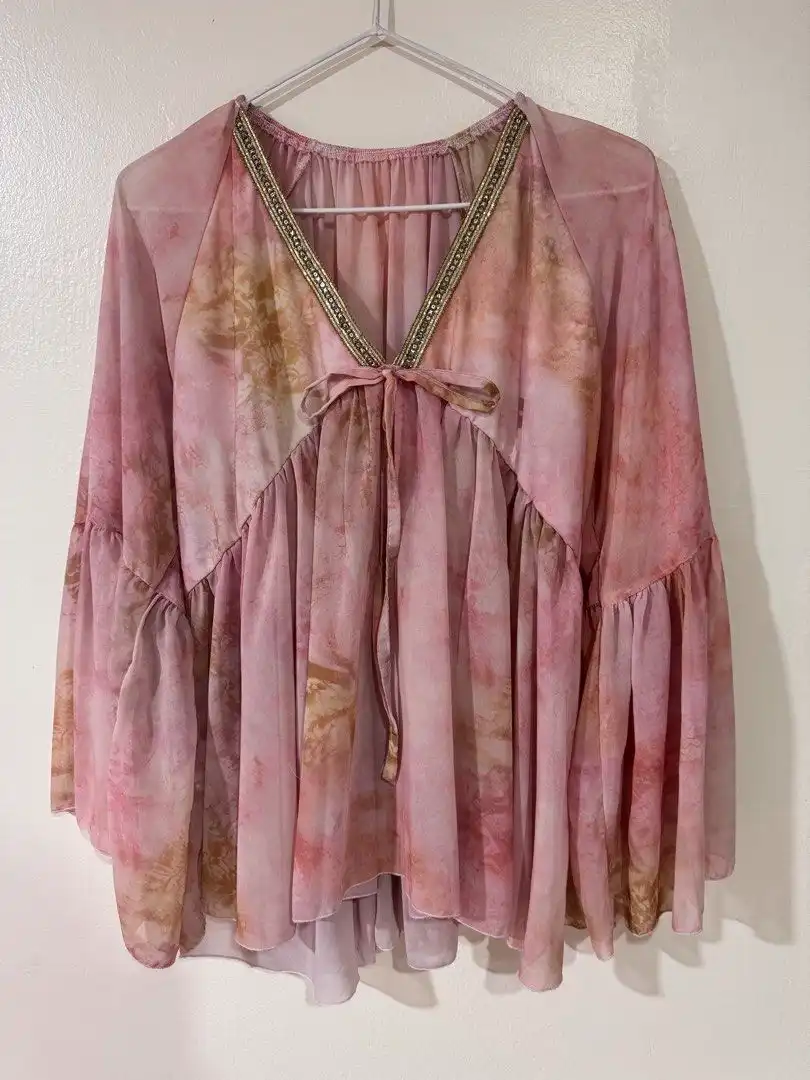
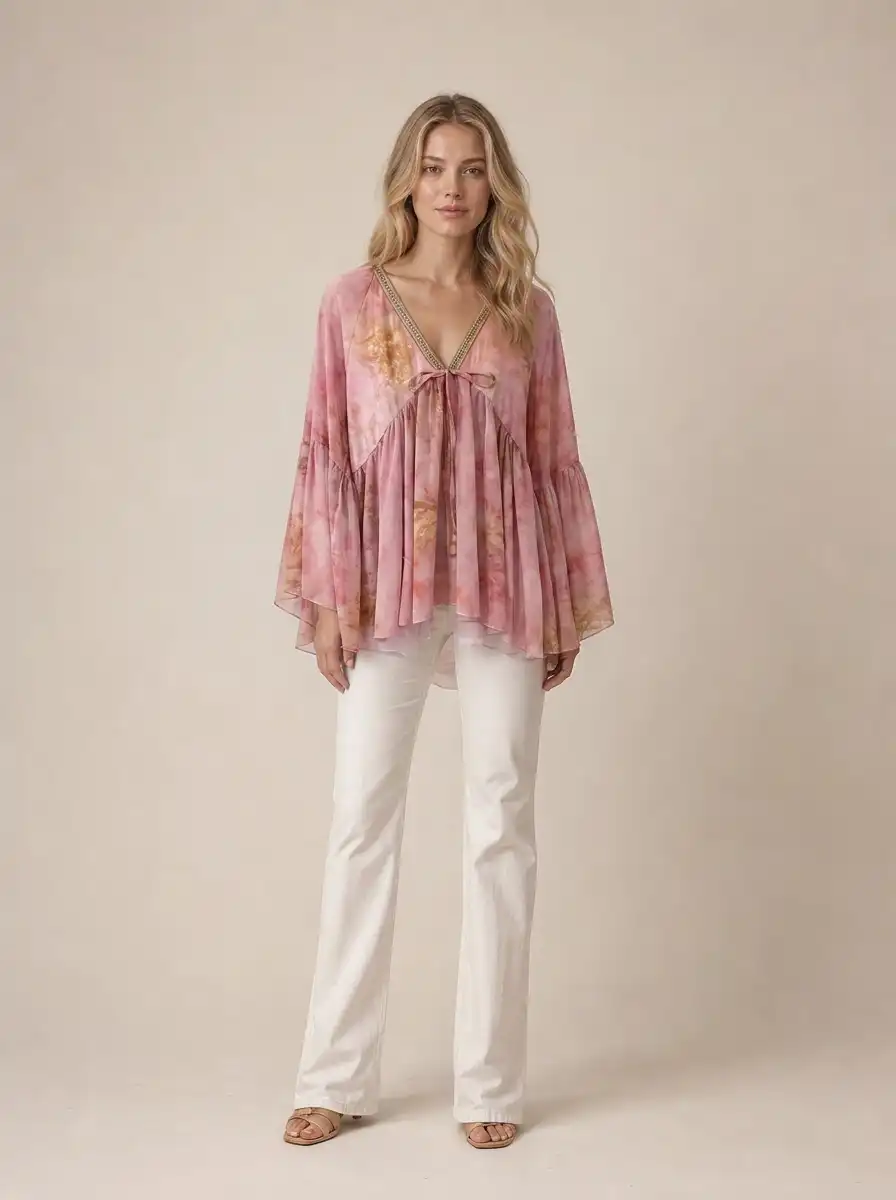
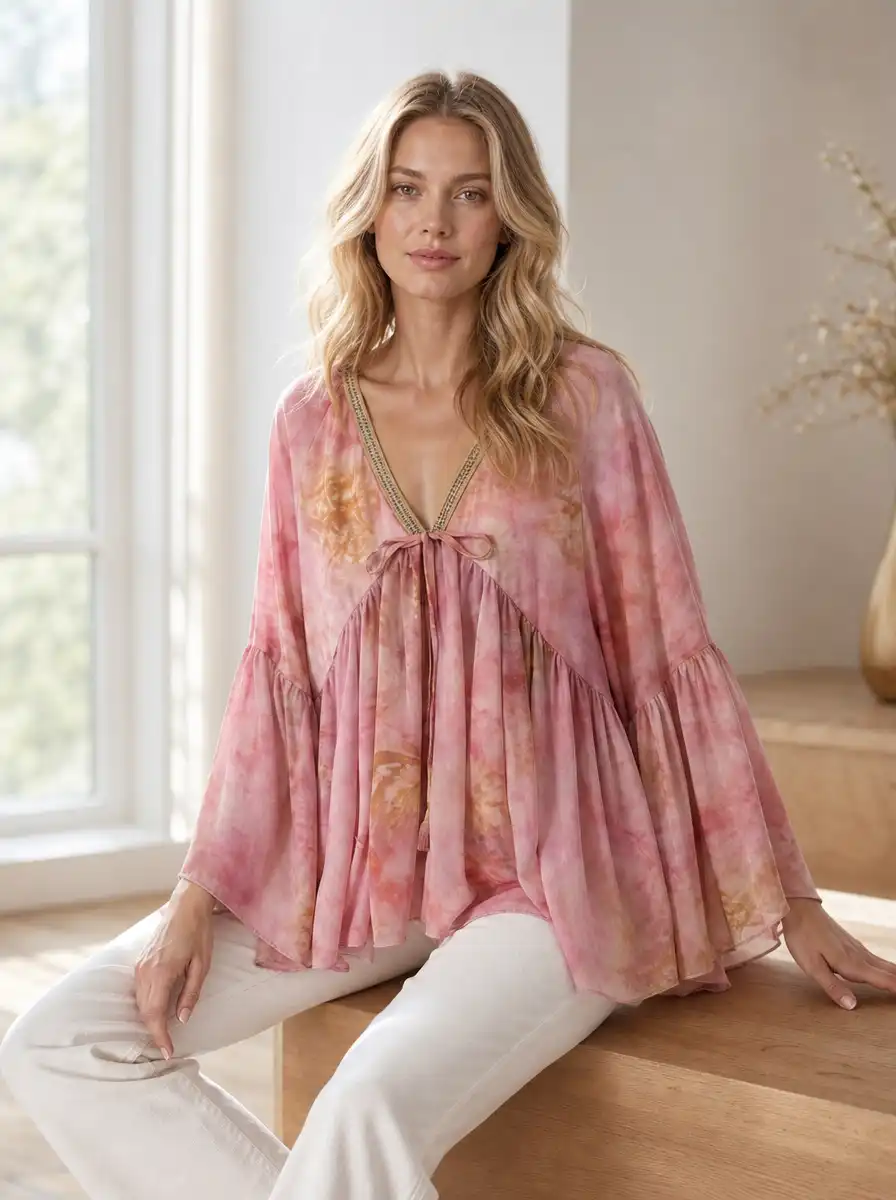
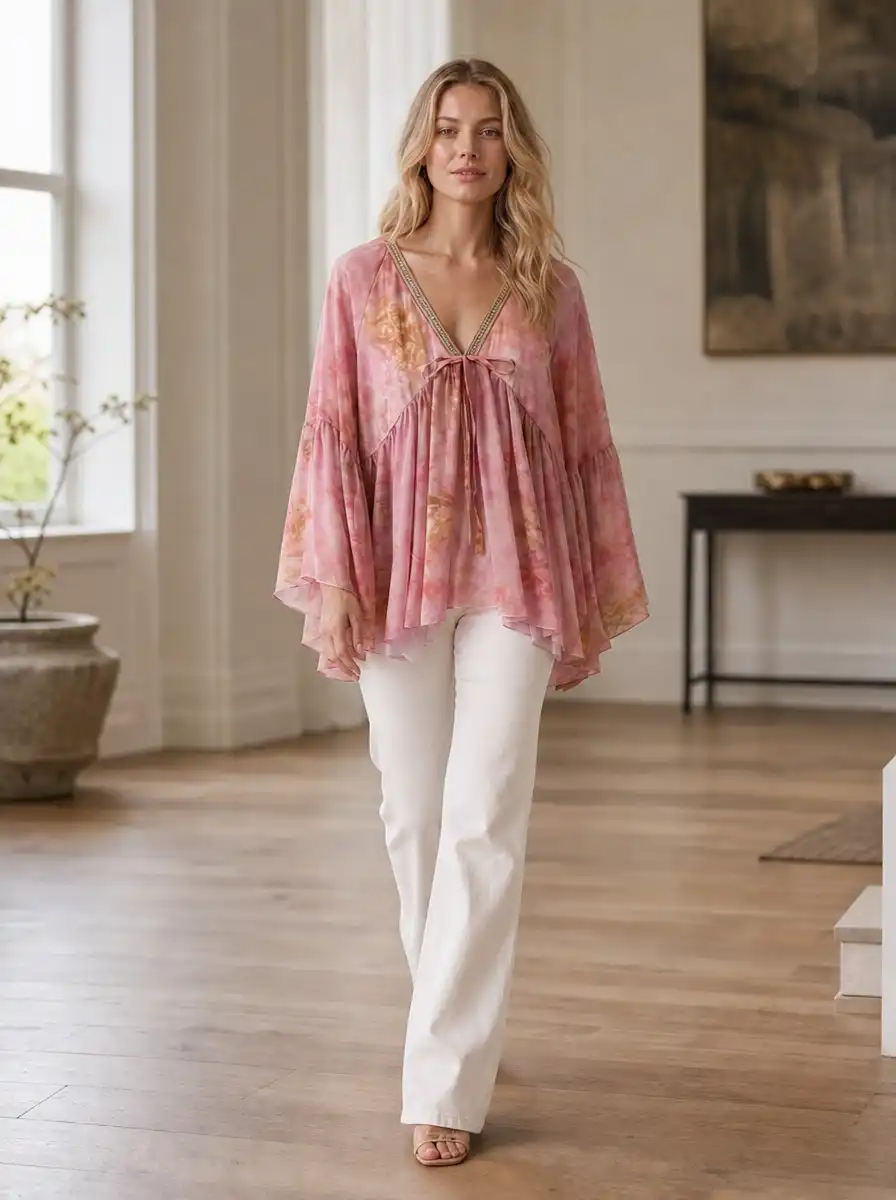
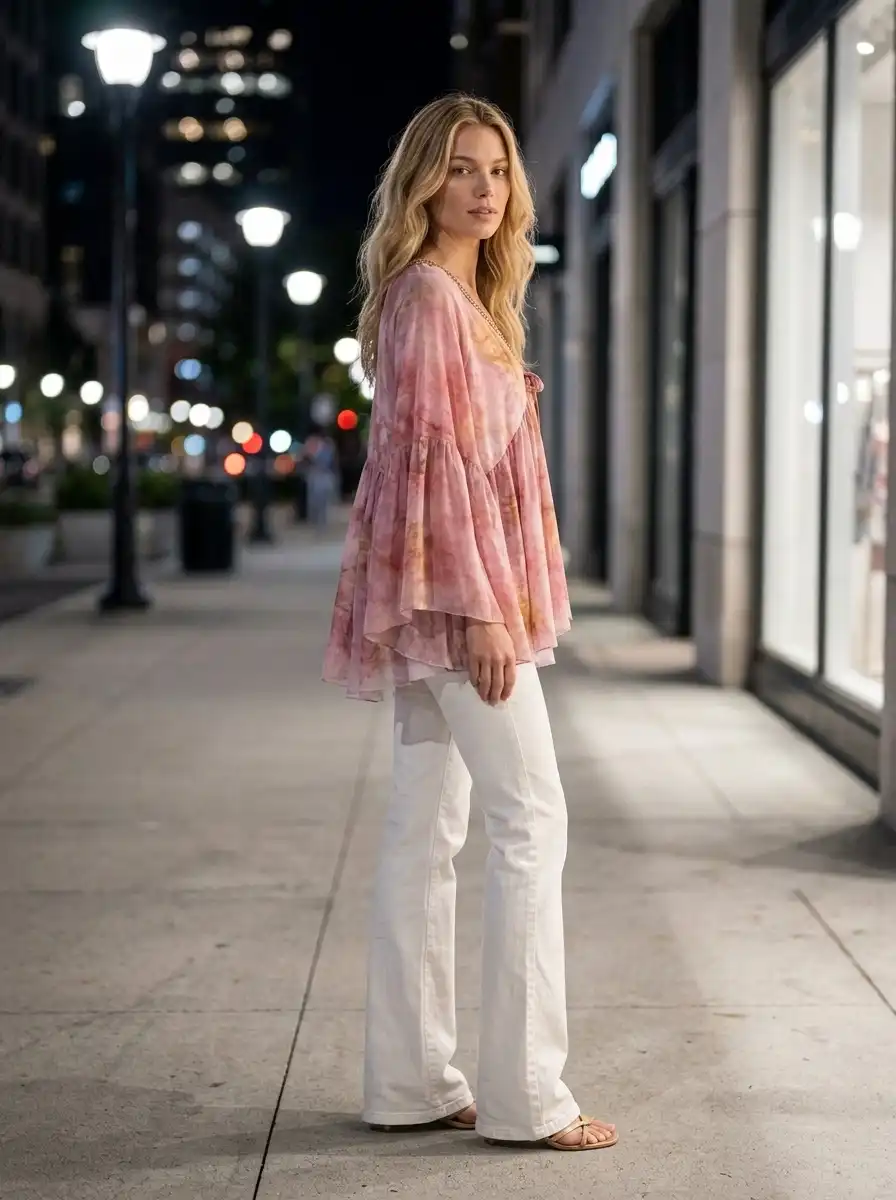
One garment, one upload. A full model photo set.
A real photoshoot costs more than most of your products.
Most fashion sellers hit the same wall. On-model photos sell better than flat lays, buyers want to see the garment worn, but a real shoot means booking a photographer, a model, a studio, and a stylist, then waiting weeks for the edits.
A single studio shoot runs from $500 to $5,000. A 20-SKU set can cost around $3,500 and take 2 to 3 weeks to coordinate. Every restock, new colourway, or fresh drop means paying for the whole thing again.
So most small sellers default to flat-lay and hanger shots. They are fast and free, but they hide the one thing online buyers want to see: how the garment actually looks worn.
That's exactly what AI Fashion Photoshoot fixes.
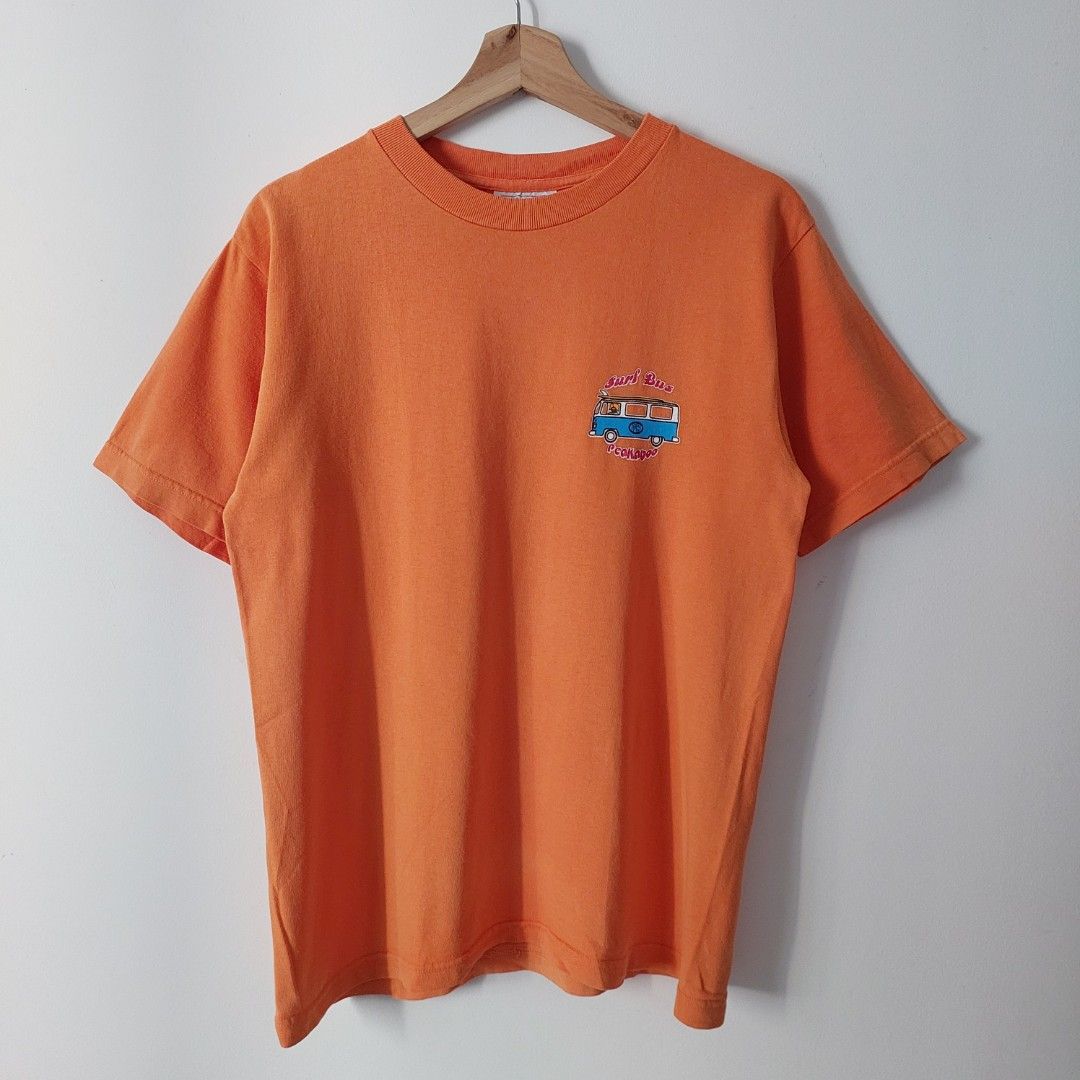
Flat and shapeless on a hanger. Buyers can't tell how it actually fits.
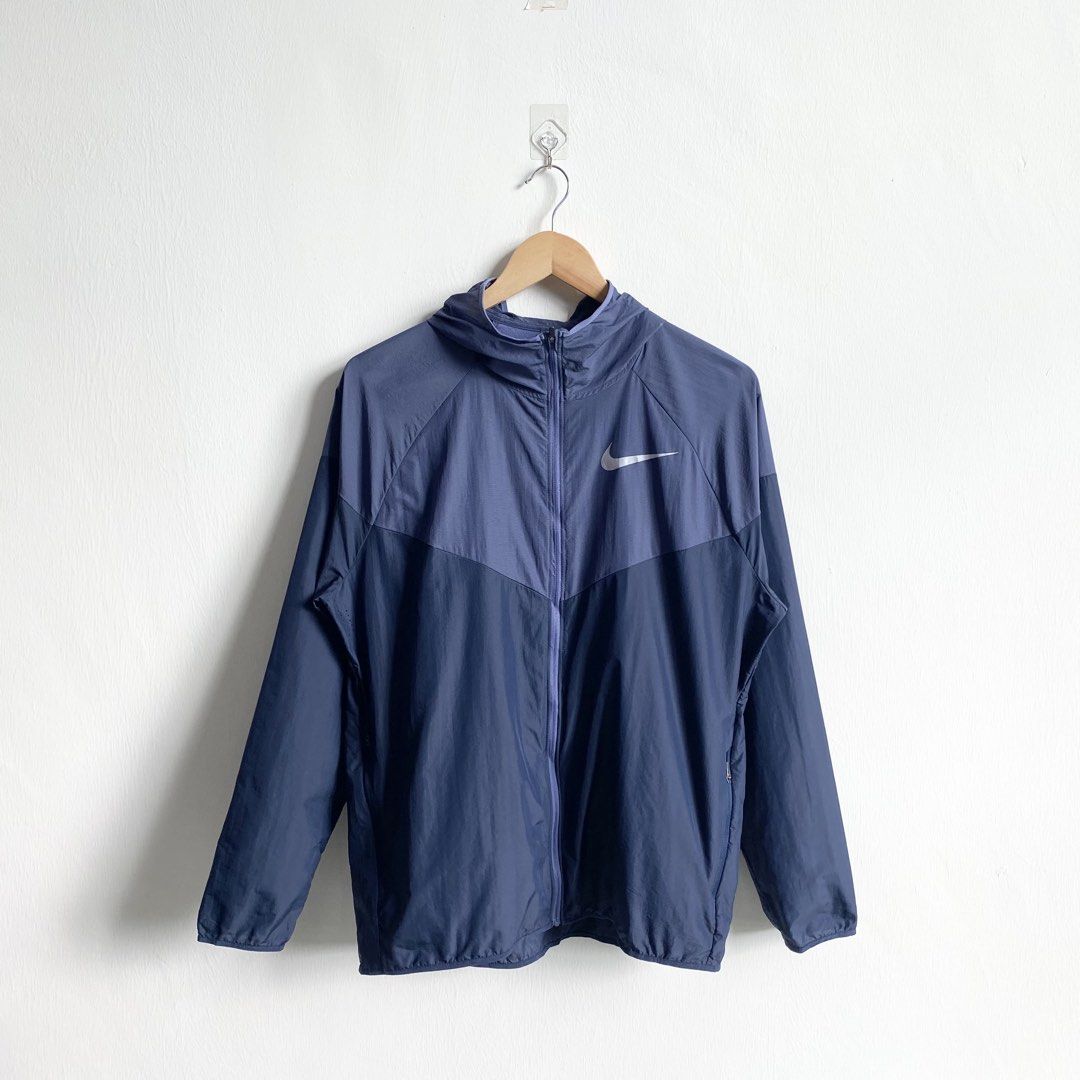
Hanging limp with no shape. Nothing shows how it looks worn.
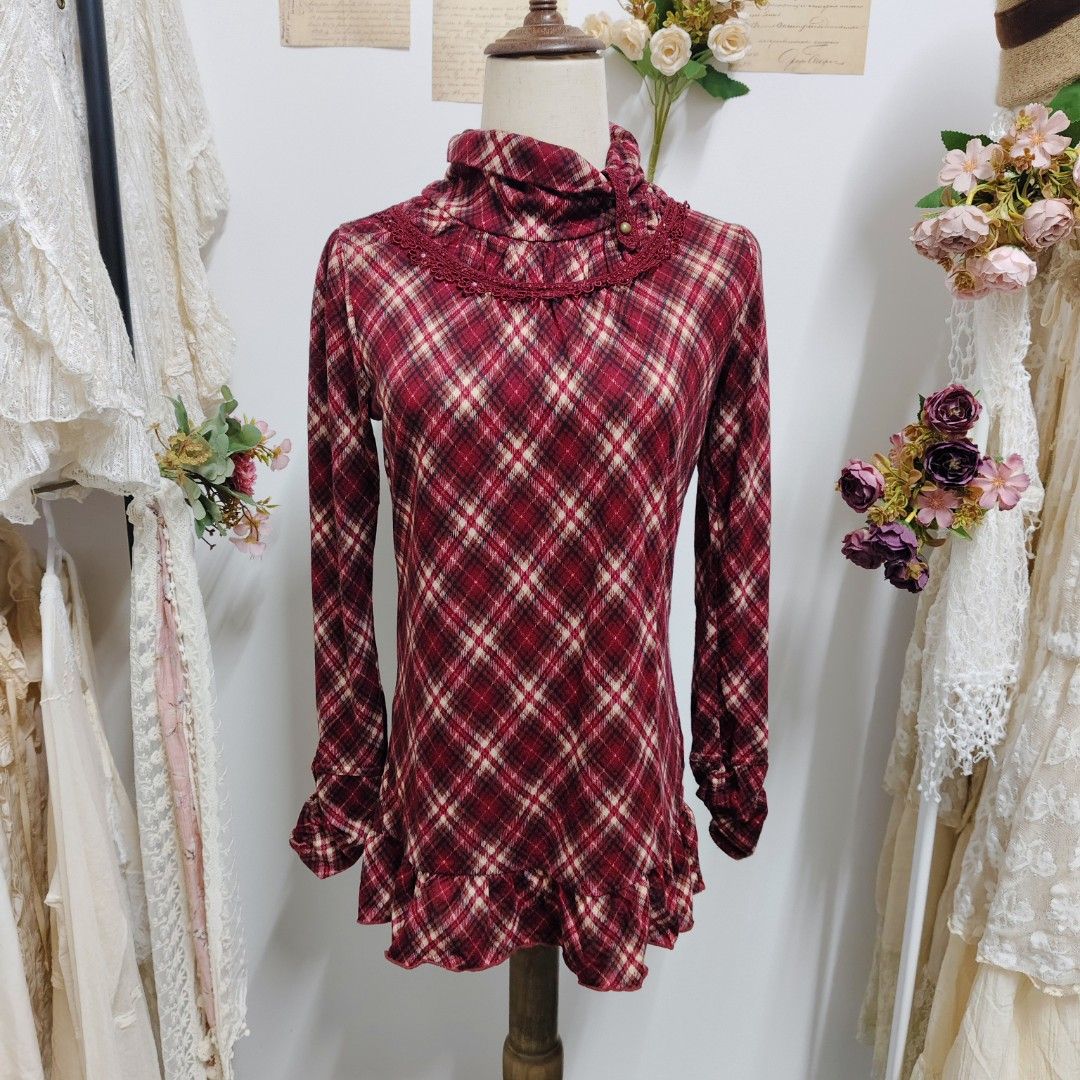
Busy background, no real model. The product gets lost in the clutter.
What is AI Fashion Photoshoot?
AI Fashion Photoshoot is Snaproom's tool for generating a complete on-model photo set from a single clothing image. Upload one flat-lay, hanger, or product shot, pick your poses and scene, and it generates one studio-grade image per selected pose up to seven from a single upload of your garment worn by a realistic fashion model.
Unlike a generic AI image generator, AI Fashion Photoshoot treats your garment as a fixed reference. It preserves the fabric, the print, the branding, and the fit, and changes only the model, the pose, the lighting, and the scene. That is the difference between an image that looks nice and an image that is fit for ecommerce.
Want to go deeper? Learn how small fashion brands can replace a photoshoot with AI model photos.
The result: a full campaign shot, without the models, the studio, or the three-week wait.
Built for:
- Fashion brands and DTC labels selling on Shopify or WooCommerce
- Marketplace sellers on Amazon, Etsy, and eBay
- Clothing brands launching new collections, colourways, and restocks
- Independent designers building lookbooks and collection samples
- Resellers and small labels that cannot justify a studio shoot
How AI Fashion Photoshoot works
No models. No studio. No coordination. Three steps.
Upload your clothing image
Upload a front-view photo of your garment. Flat-lay, hanger, or existing product shot. JPG, PNG, or WEBP. Optionally add a back-view photo to unlock the Back View pose.
Pick your poses and scene
Choose one or more poses from six presets: Standing Front, Walking, Three-Quarter, Side Profile, Back View, Sitting, and Arms Crossed. Then pick a scene: Studio, Nature, Urban, Interior, or Coastal or type a custom setting. Each pose becomes one generated image.
Set your output and generate
Choose quality (Standard or Pro), resolution (up to 4K), and aspect ratio. Hit generate and download your results in minutes. Full commercial rights included.
What you get in every AI Fashion Photoshoot
One upload becomes a full, channel-ready photo set.
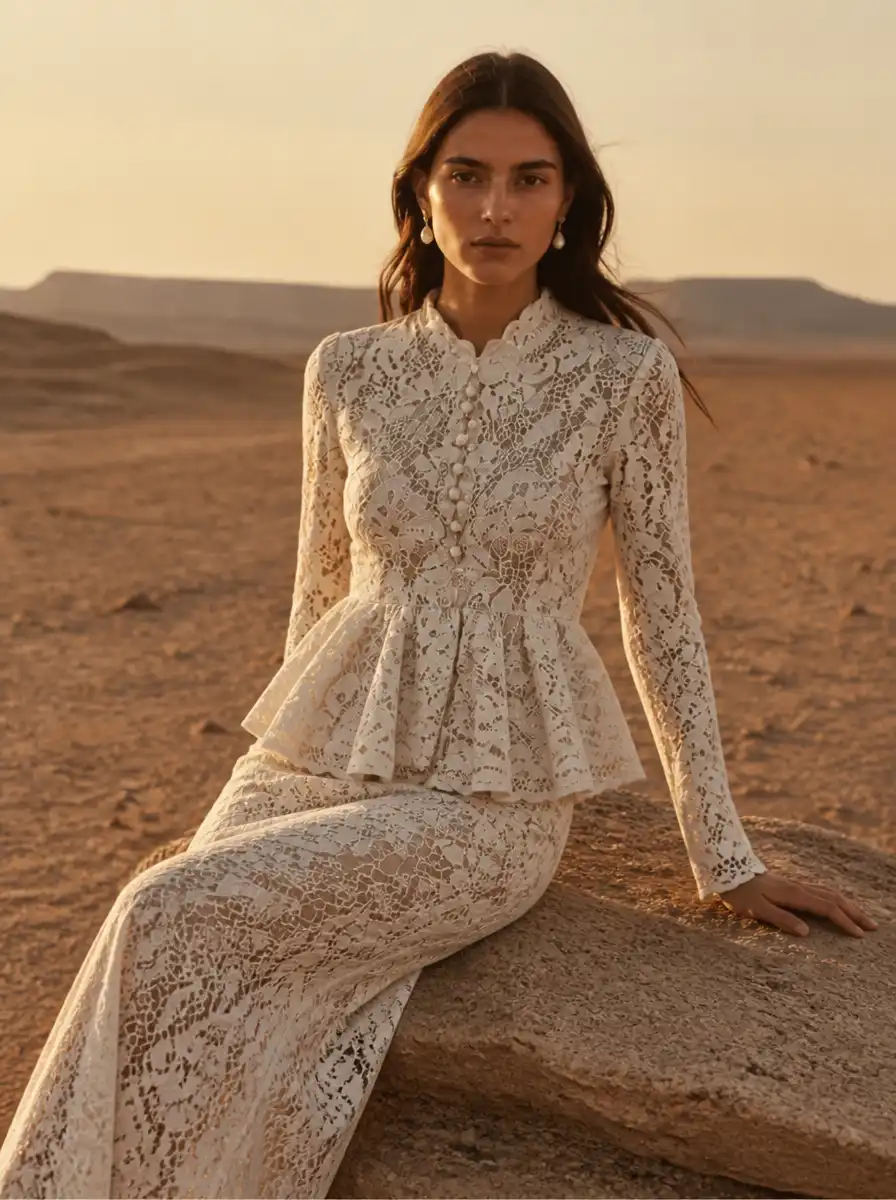
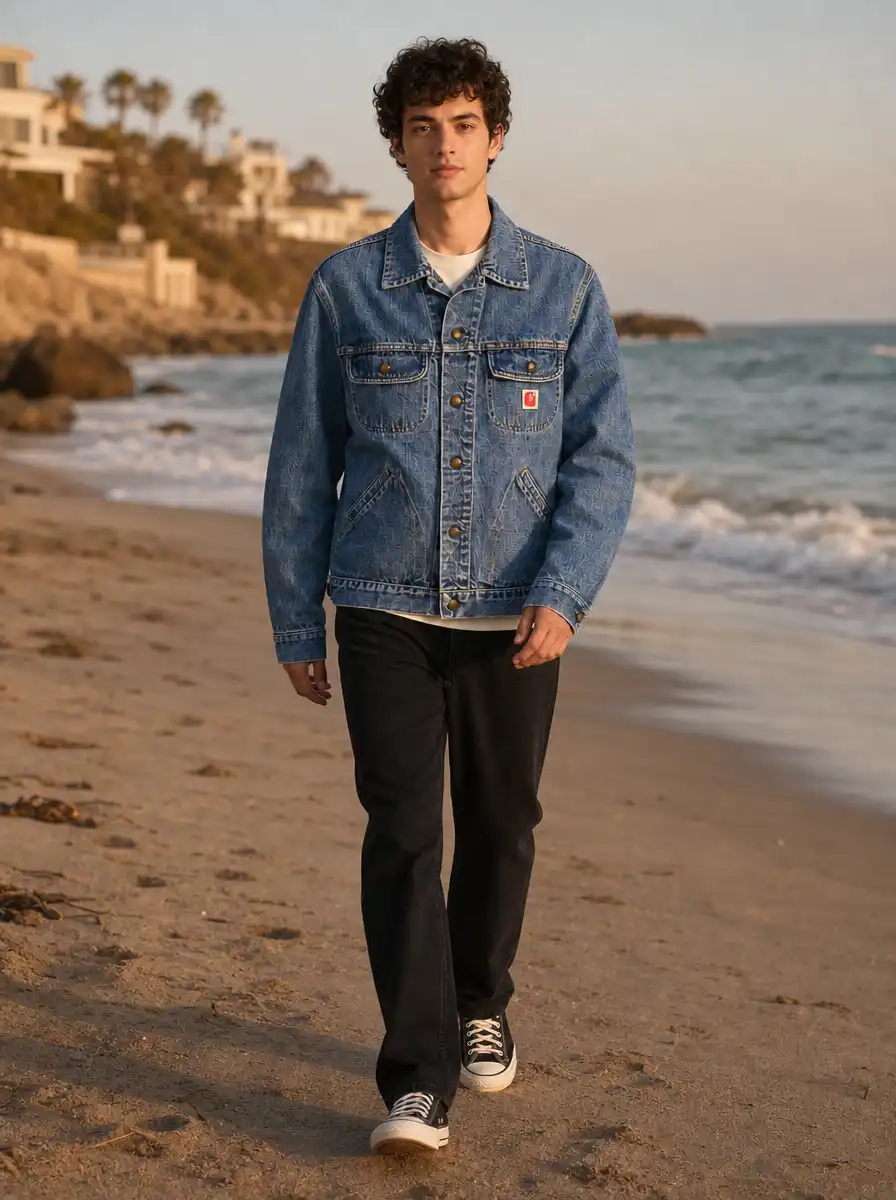
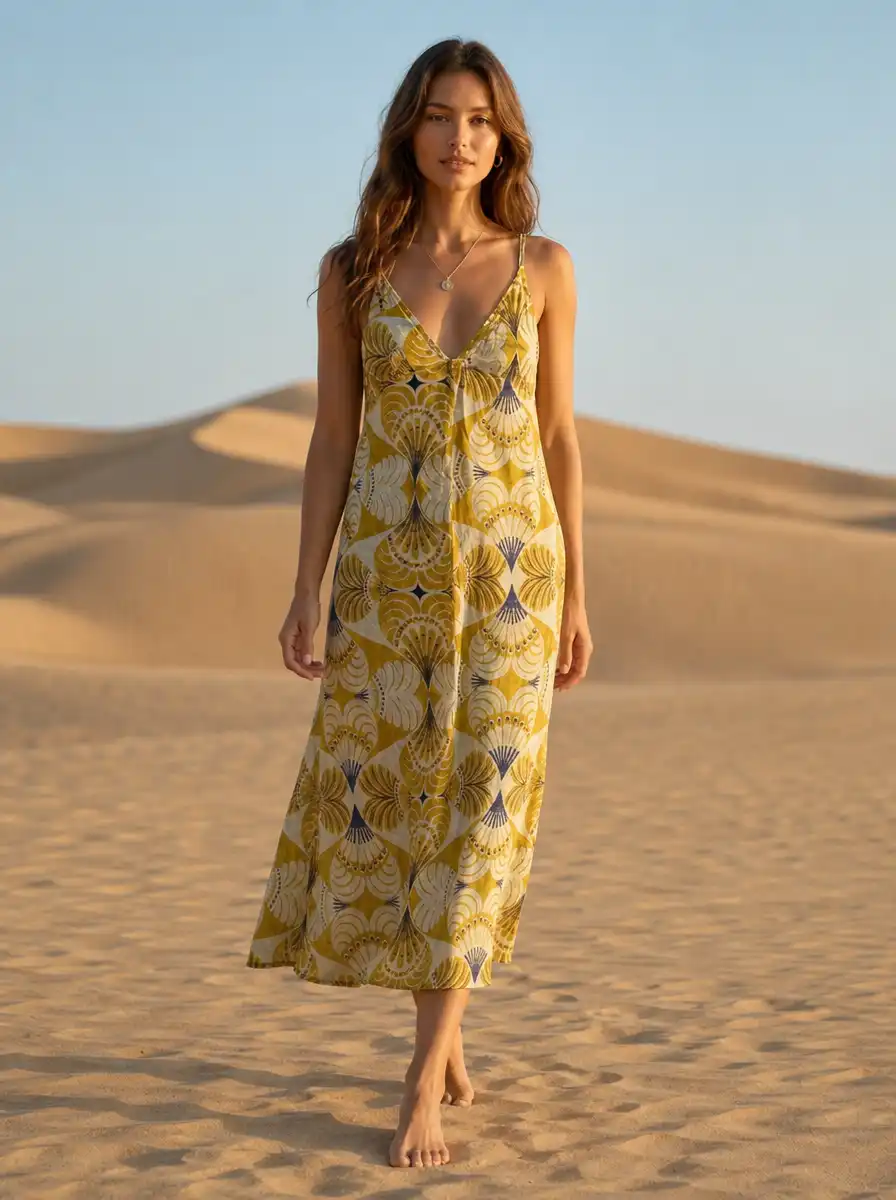
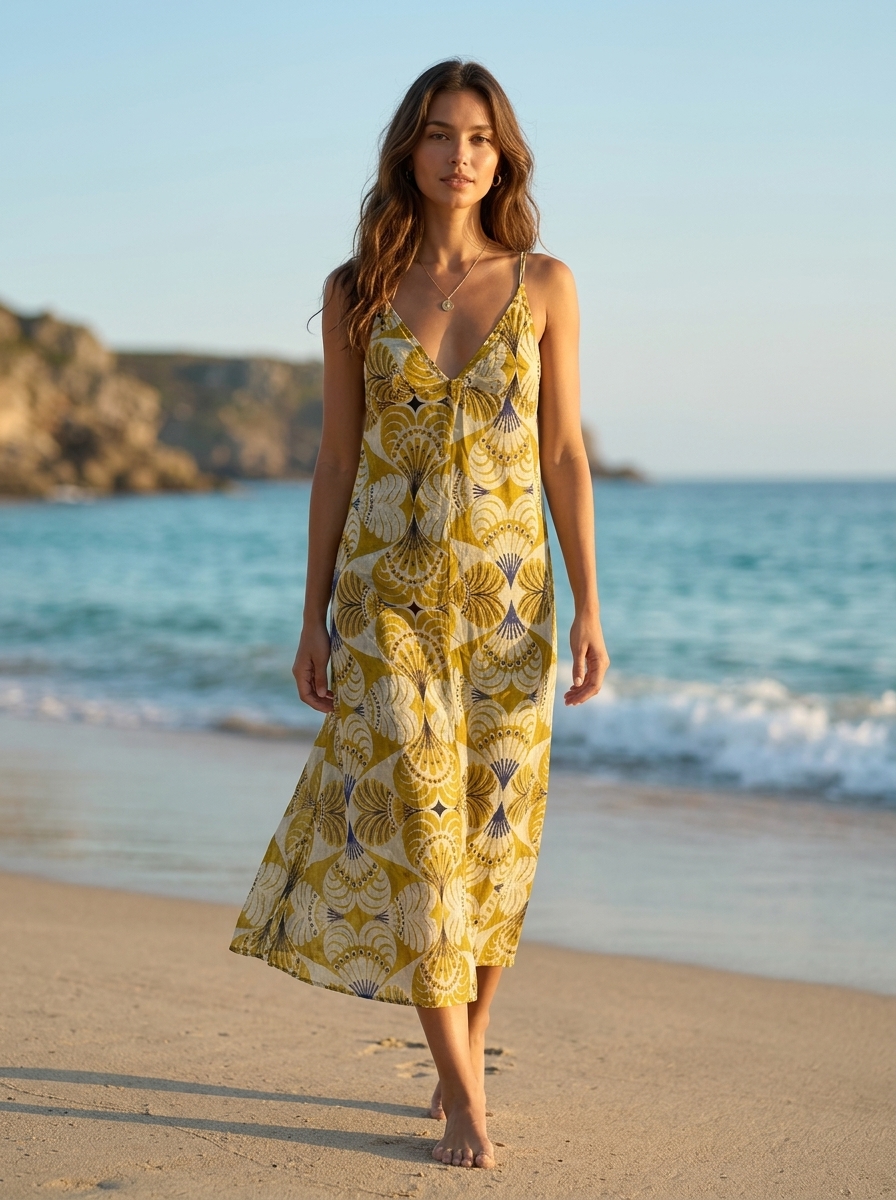
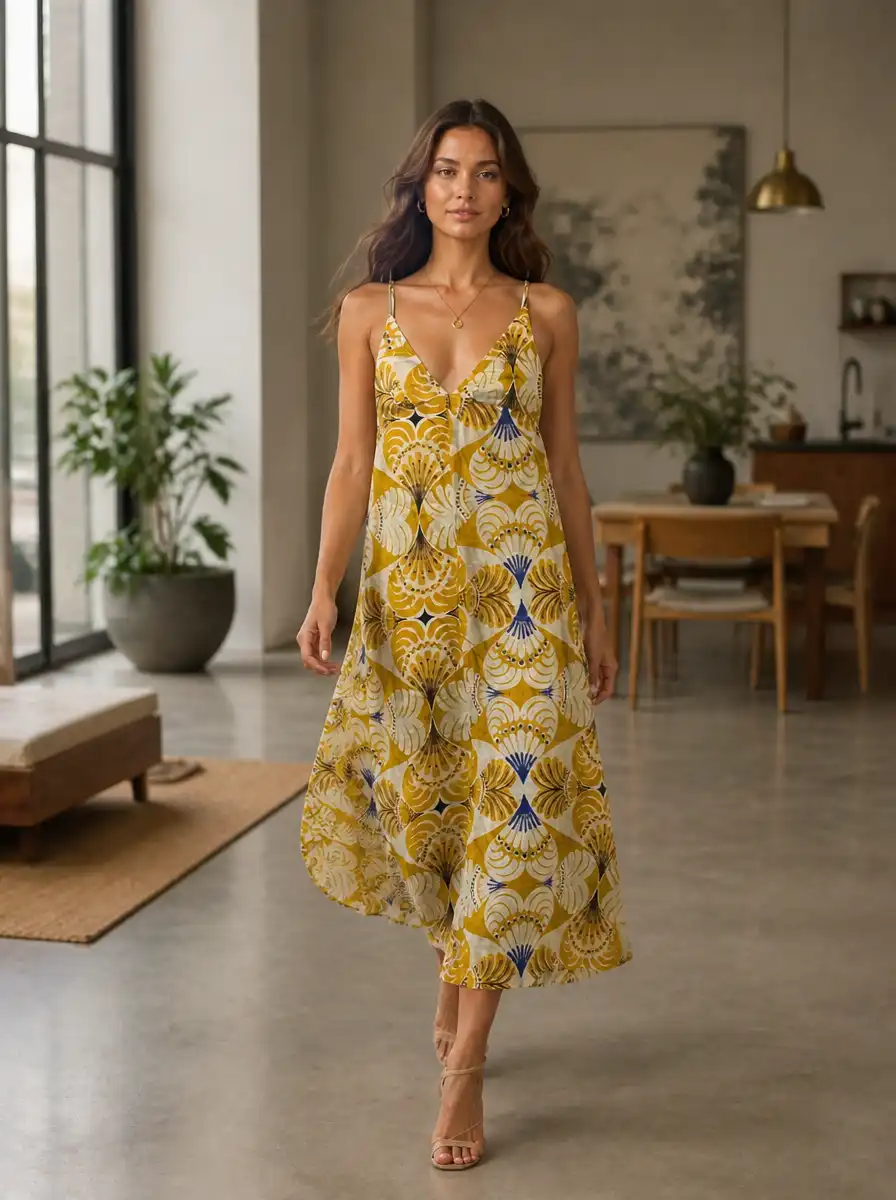
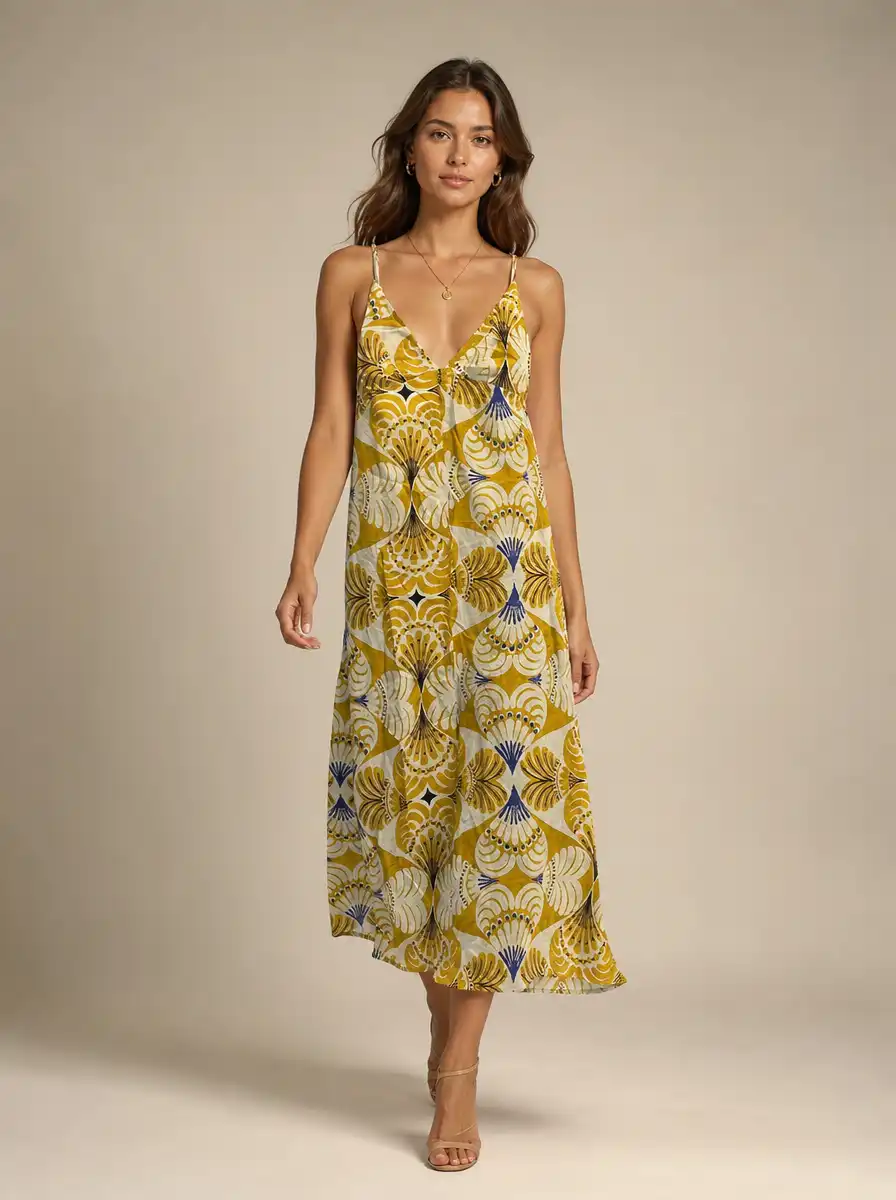
1. Realistic on-model imagery
Your garment worn by a photorealistic fashion model, so buyers can see drape, fit, and proportion at a glance instead of guessing from a flat lay.
Relevant for: Every apparel category, from tops and dresses to outerwear.
2. Multiple poses per upload
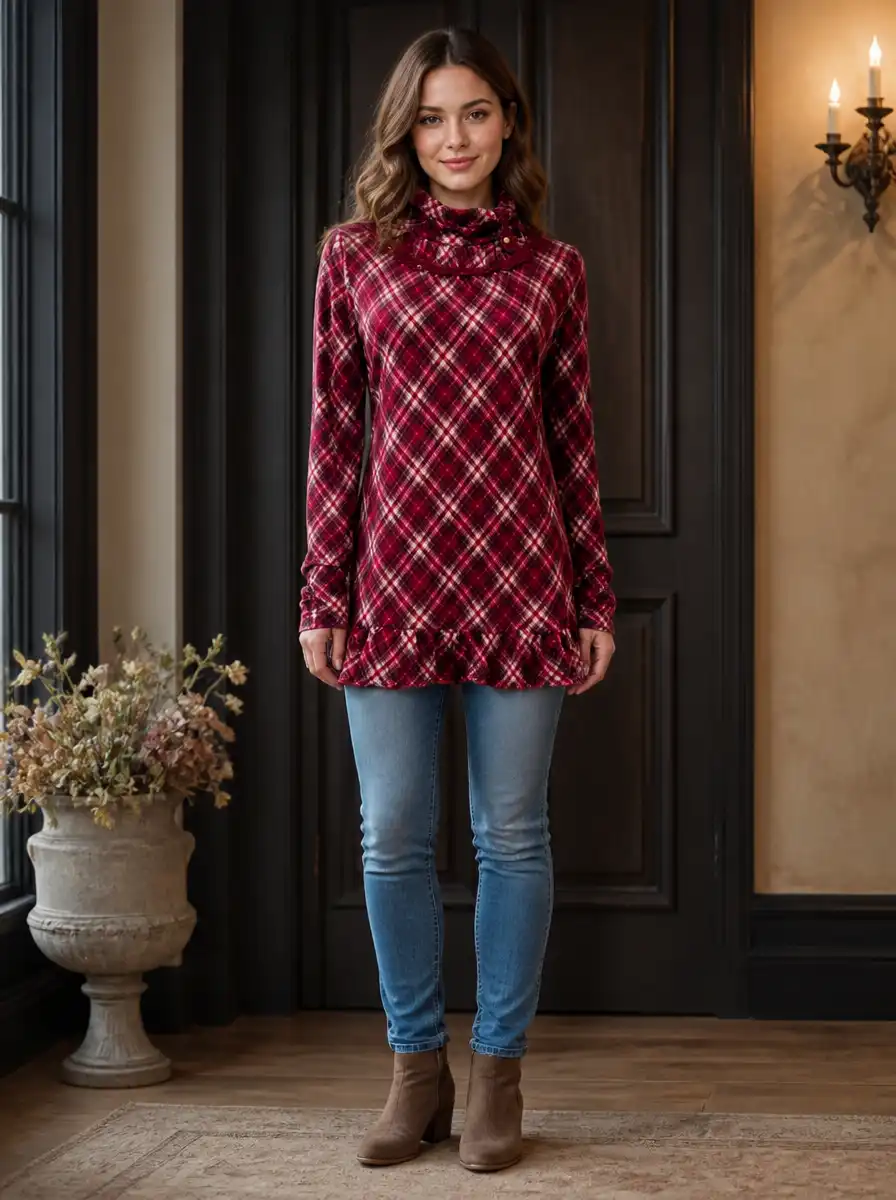
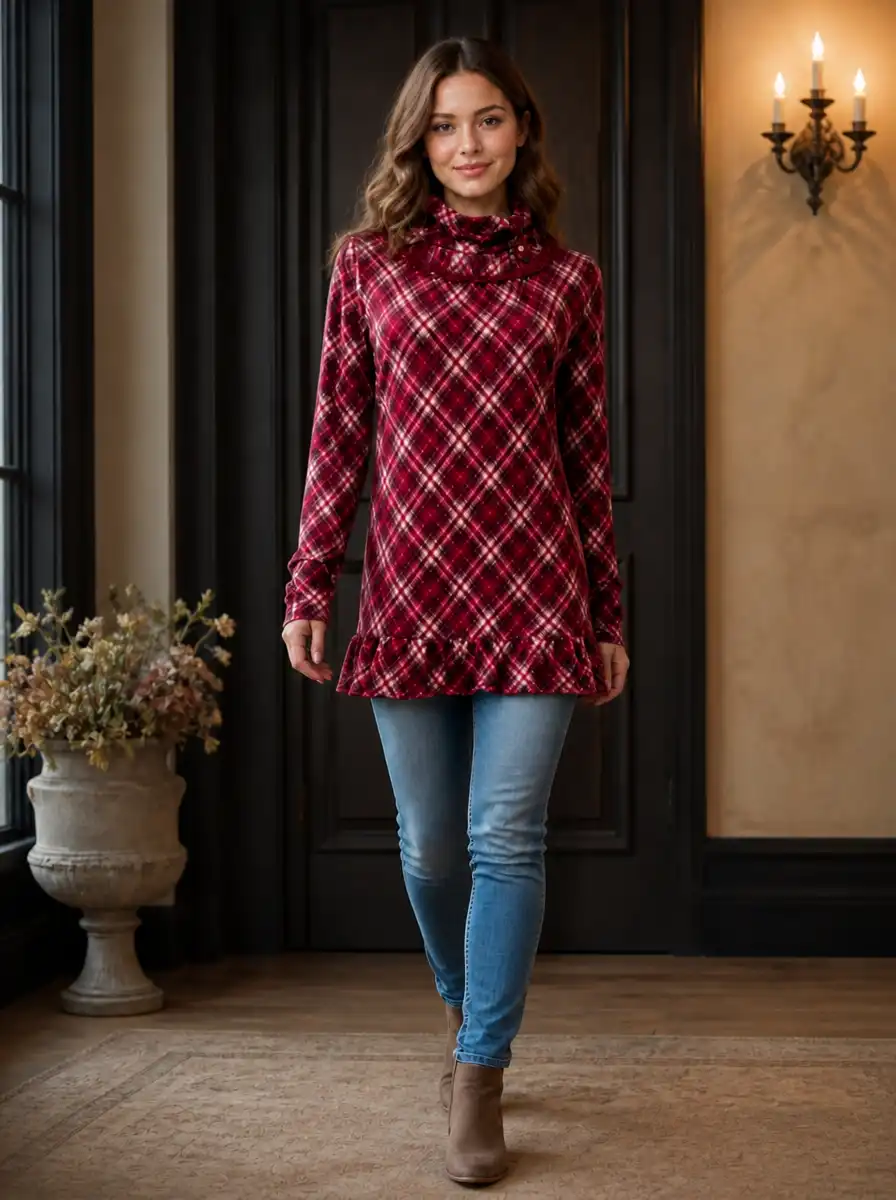
Choose from seven pose presets Standing Front, Walking, Three-Quarter, Side Profile, Back View, Sitting, and Arms Crossed. Each pose you select becomes a separate image, so one upload produces a varied, multi-angle set without any reshooting.
Relevant for: Any brand that needs more than one angle per SKU.
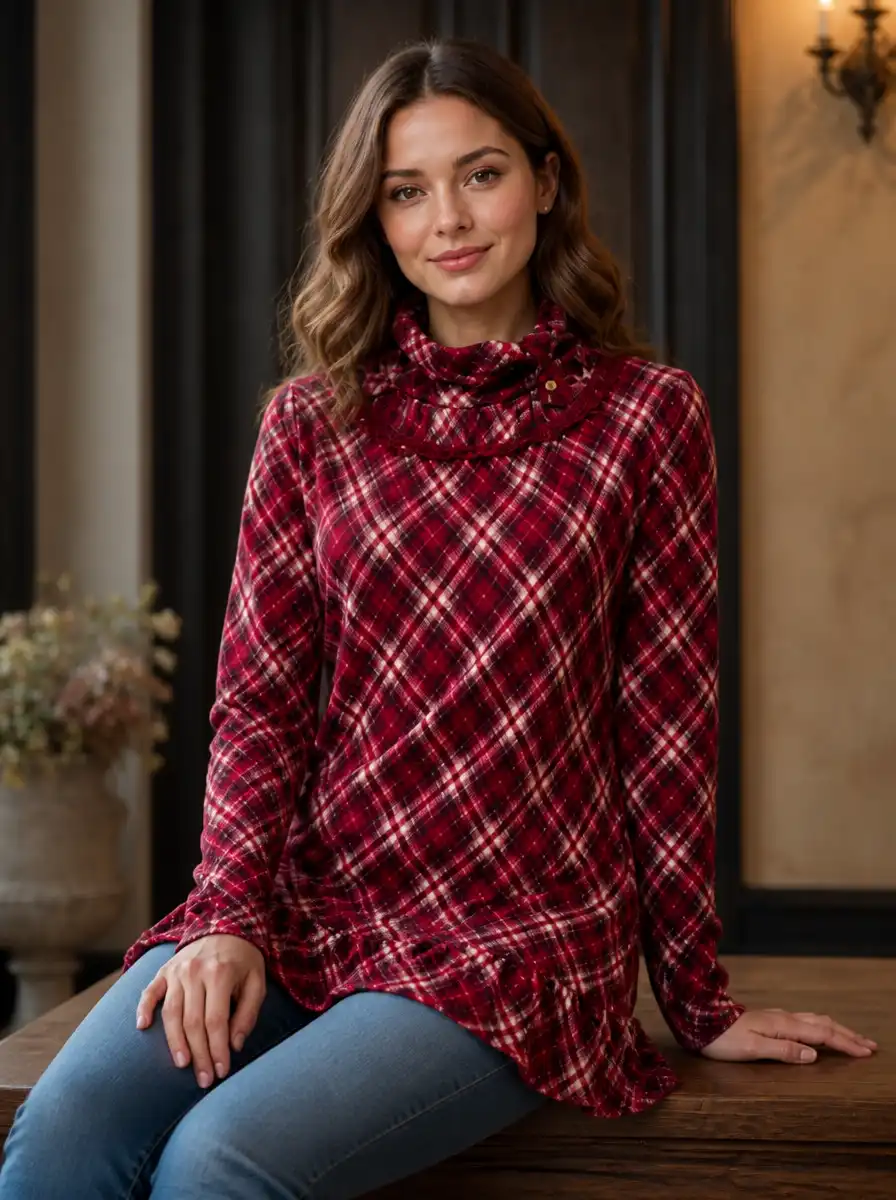
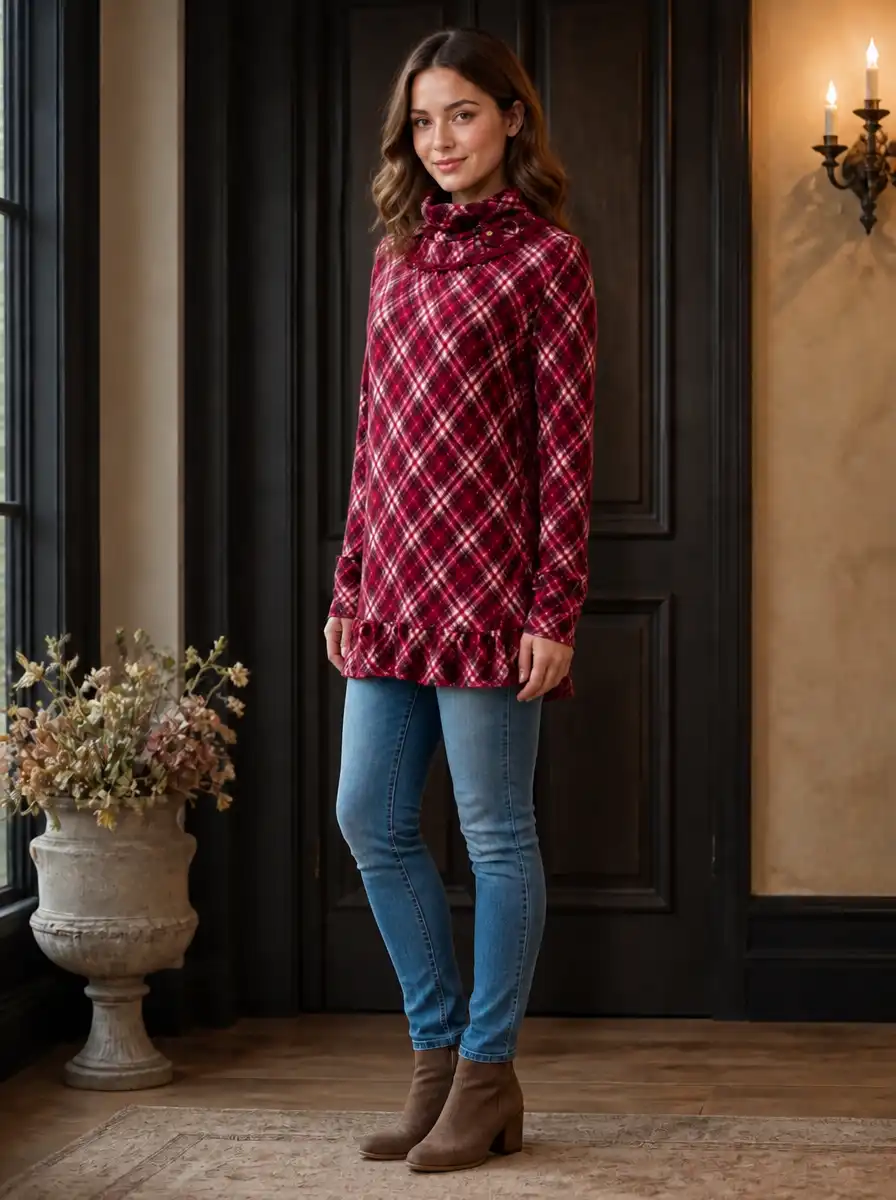
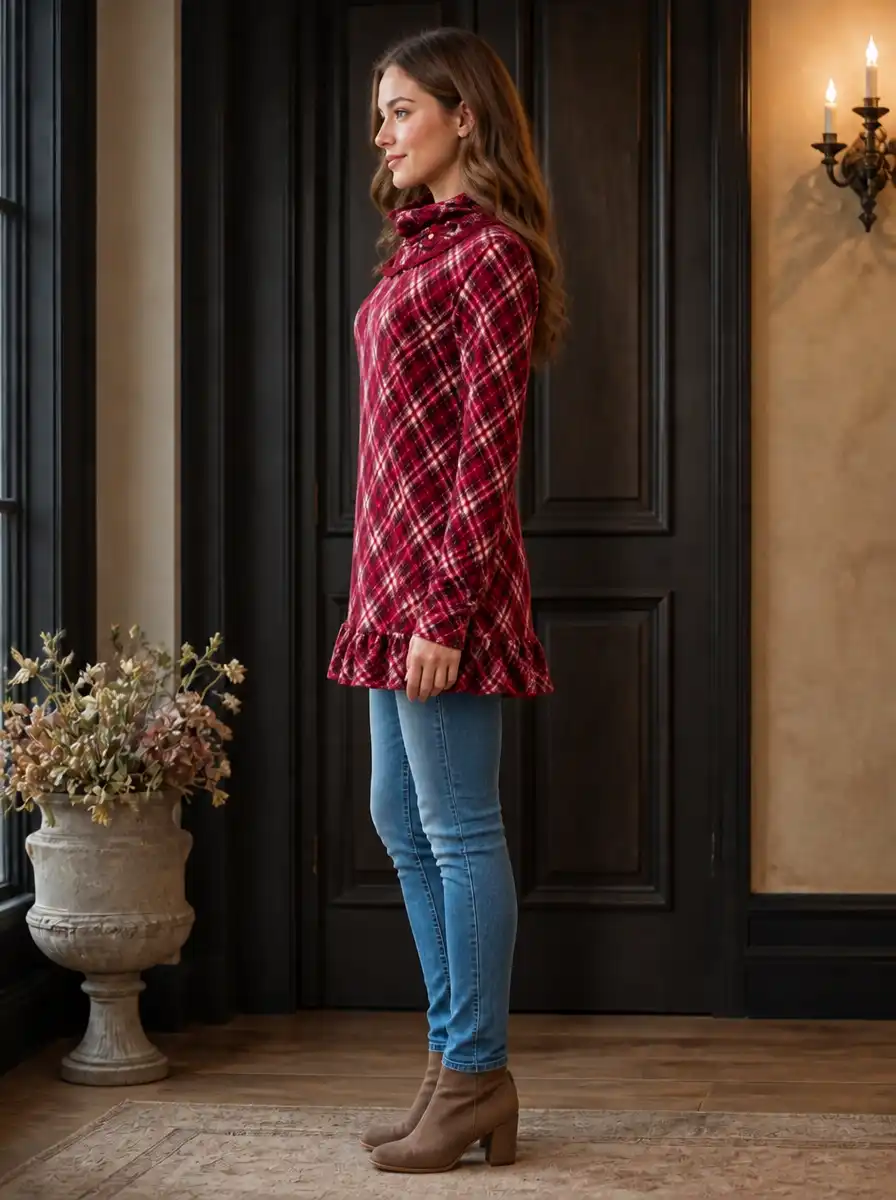
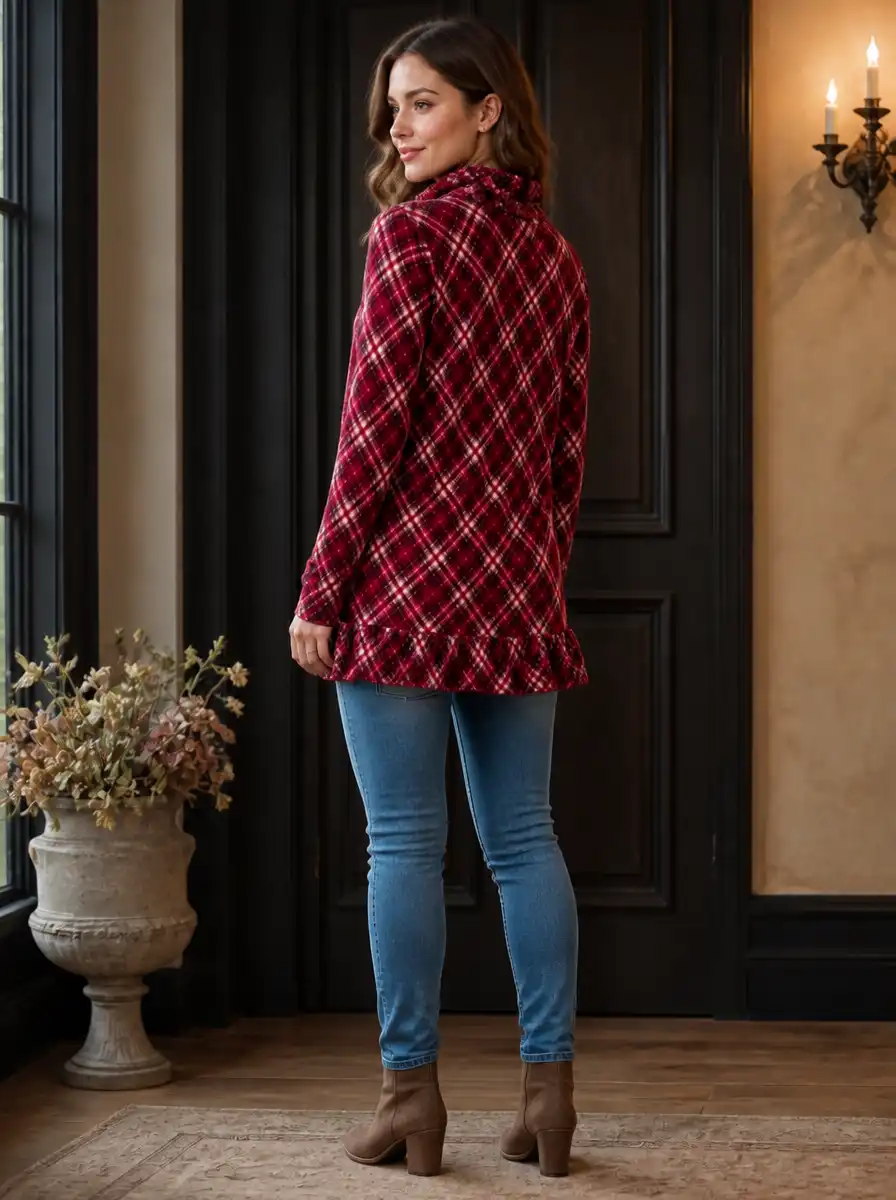
3. Multiple scenes and formats
Pick from five scene environments Studio, Nature, Urban, Interior, and Coastal or type your own custom setting. Set your aspect ratio once and every image in the run uses it.
Relevant for: Brands that want studio-clean results or real-world lifestyle backdrops.
4. High-resolution, commercial-use downloads
Every image downloads at up to 4K resolution with full commercial rights no licensing fees, no attribution, no restrictions. Publish directly to your product page, marketplace listing, or ad campaign.
Relevant for: Anyone publishing to a store, marketplace, or paid channel.
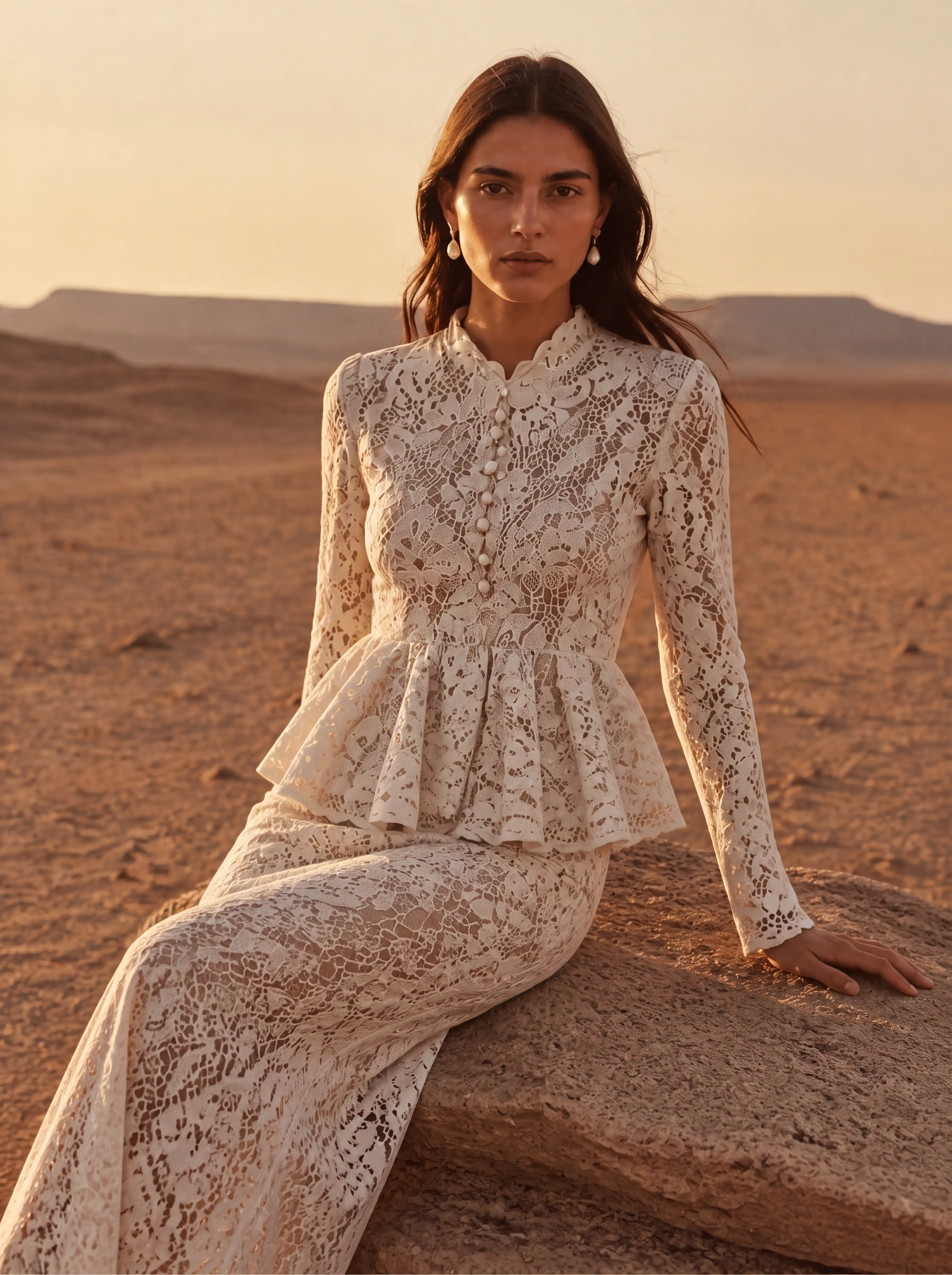
5. Garment fidelity
Fabric texture, prints, logos, and fit preserved exactly as photographed, never redrawn or reinvented.
Relevant for: Branded and printed garments where accuracy is non-negotiable.
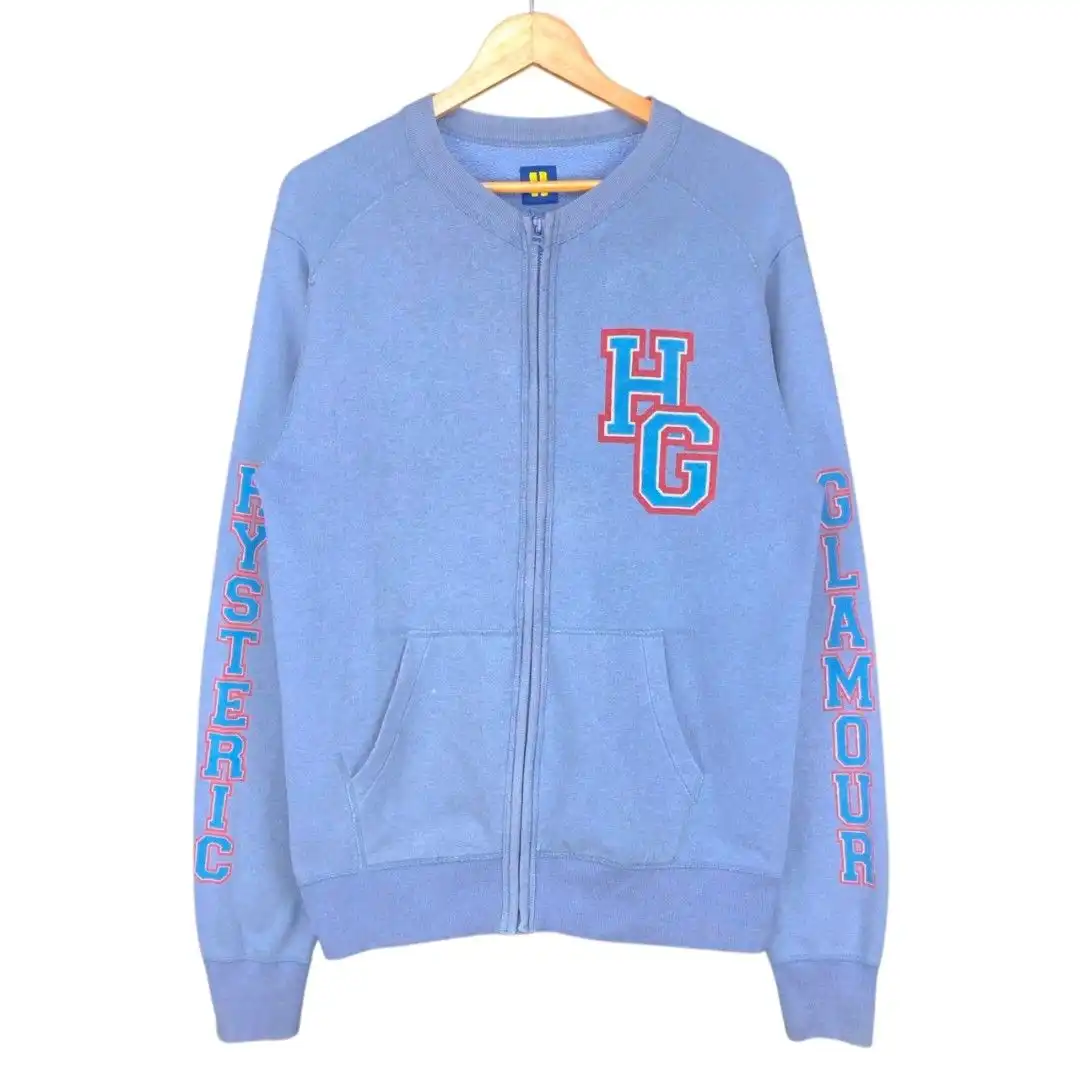
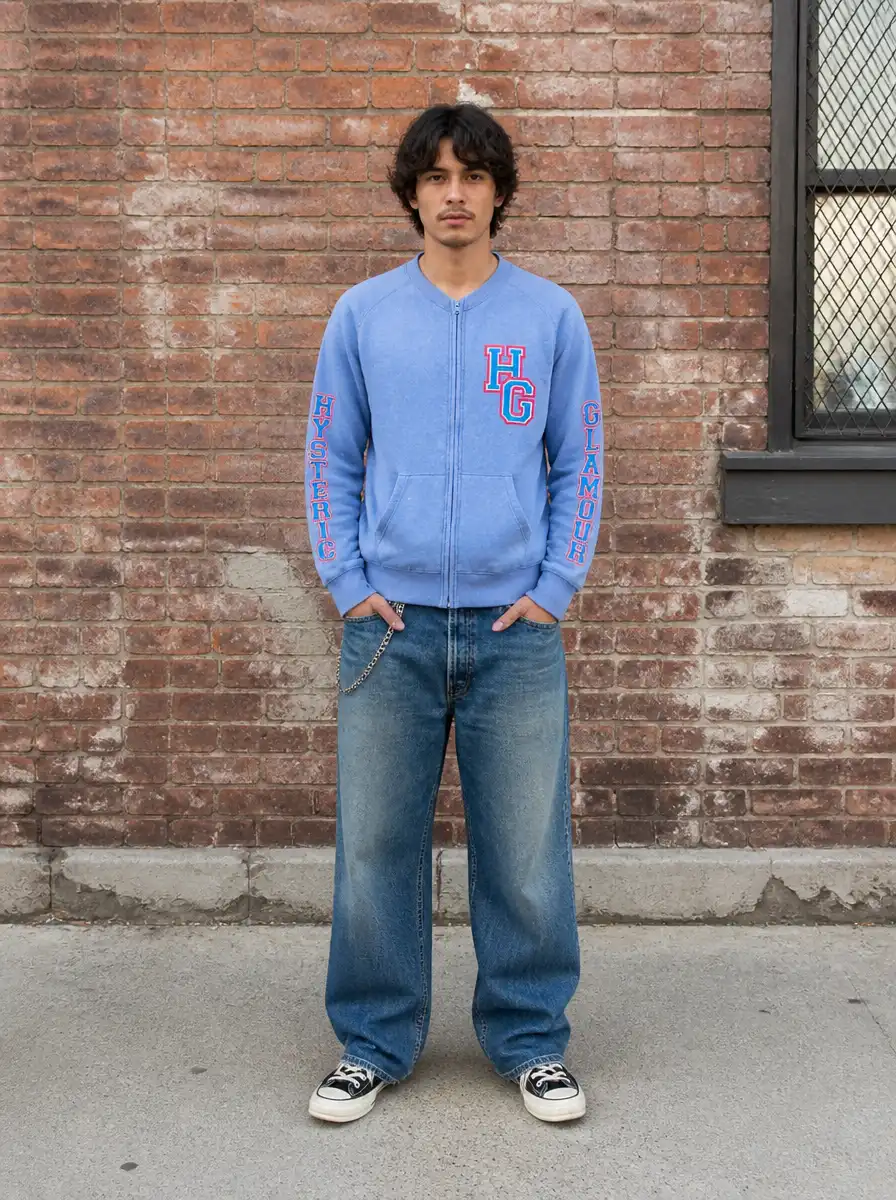
What AI Fashion Photoshoot never changes
Your garment is your product. AI Fashion Photoshoot is engineered to keep it accurate.
It will never redraw your print, shift your fabric colour, alter your logo or branding, or change the cut of the garment. It changes the model, the pose, the lighting, and the scene. What you photographed is what buyers see, worn on a professional model.
AI Fashion Photoshoot vs your other options
| AI Fashion Photoshoot | Traditional Studio Shoot | Freelance Model + Photographer | Generic AI Image Tool | |
|---|---|---|---|---|
| Cost per image | Cents | $500 to $5,000 per shoot | $150 to $500 per look plus usage | Varies |
| Turnaround | Minutes | 2 to 3 weeks | Days to weeks | Minutes |
| Garment fidelity | Preserved automatically | If well directed | Depends on retouching | Redraws the garment |
| Pose variety | 7 pose presets per upload | Limited by shoot time | Per-look fee | Inconsistent results |
| Variations per upload | Up to 7 per upload | Limited by shoot time | Limited by budget | Inconsistent |
| Ecommerce-ready output | High-res, full commercial rights | If briefed | Manual | Generic |
| Brand consistency | Same world every SKU | Varies by session | Hard to match | Random |
| Scales to full catalogue | Too expensive | Too slow | No fidelity |
Built for fashion brands who need model photos at scale
AI Fashion Photoshoot was built around one problem: fashion sellers who need on-model imagery to convert, without the cost, the coordination, or the wait of a traditional shoot.
Independent Fashion Brands and DTC Labels
Your product pages compete with brands 10x your size. AI Fashion Photoshoot gives your catalogue the same on-model, studio-grade treatment, with no studio budget.
Shopify and WooCommerce Clothing Stores
On-model photos lift add-to-cart and reduce buyer guesswork. Generate a full set per product from the flat-lay you already have.
Amazon, Etsy and eBay Sellers
Marketplace buyers scroll fast. Model imagery stands out in thumbnail grids where flat lays blend in, more clicks, higher conversion.
New Fashion Startups
Launch with a full, consistent catalogue on day one. No shoot to book, no lead time, no upfront production cost.
Brands Launching Collections and Restocks
Restock weekly, shoot never. Generate campaign-ready visuals for every new drop and colourway in minutes.
Designers Presenting Collections
Present samples on clean, professional models for lookbooks, buyer meetings, and wholesale pitches, even before the line is produced.
What professional on-model photos actually do for your sales
Higher conversion when listings show on-model imagery vs flat-lay-only listings
Fashion ecommerce conversion studies
The cost of a traditional 20-SKU photoshoot that AI Fashion Photoshoot replaces
Snaproom production benchmark
To generate a full set, vs 2 to 3 weeks to book, style, and shoot
Studio production timelines
Images from a single upload one per selected pose, up to seven presets
Snaproom output
"We used to spend around $3,000 on a seasonal shoot. Now we generate the whole set from one flat-lay in an afternoon and reinvest the budget into inventory."
Fashion brand founder, Los Angeles
"On-model photos changed our product pages. Conversion went up because buyers can finally see the fit, and we never booked a single model."
Shopify store owner, London
"As a small Etsy seller I could never afford models. Now every listing has one, and my items look like they belong to a real brand."
Etsy seller, Austin
Where AI Fashion Photoshoot fits in your workflow
Use it on its own, or as the on-model step in your full Snaproom pipeline.
Pairs with
Ghost Mannequin
Prep a clean, listing-ready product shot first, then bring it into your photoshoot.
Virtual Try-On
Need just one quick model shot instead of a full set? Use Try-On.
Multi-Angle Photography
Add front, side, and back views to complete the product page gallery.
AI Image to Video
Turn a hero look into a rotating product video for social ads.
Smart Retouch
Polish inputs before, or outputs after, your photoshoot.
Chat to Edit
Fine-tune any result with simple text instructions.
Frequently Asked Questions
Explore more Snaproom AI tools
Your next collection deserves model photos.
Every clothing photo you publish is a trust decision. A flat lay tells buyers to imagine the fit. An on-model photo shows them. AI Fashion Photoshoot gives every product that treatment, without the shoot.
Upload your first image free. No credit card. No studio. No coordination.