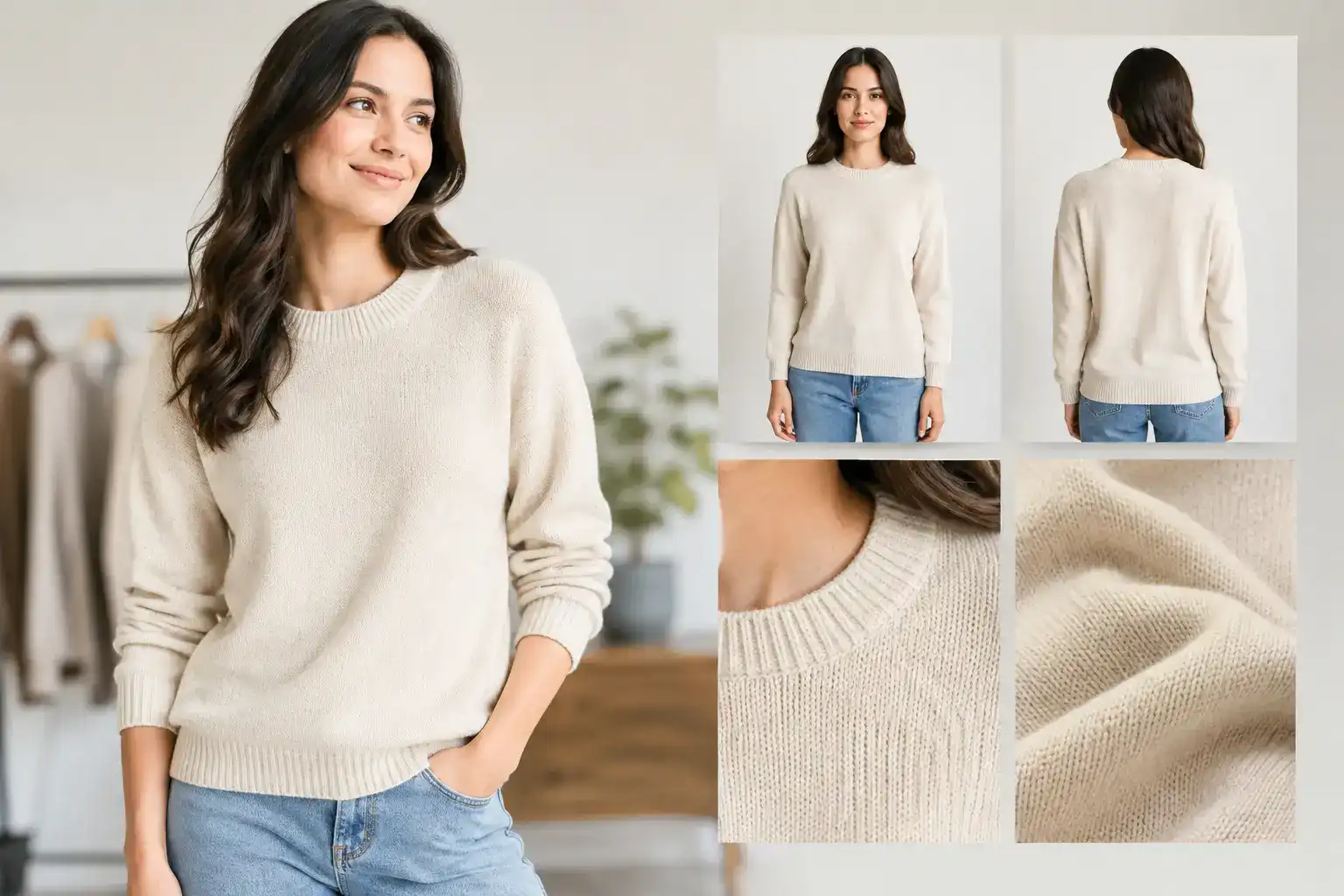
9 essential images for clothing PDPs, and what each one proves
By Snaproom · October 18, 2026 · 8 min read
Coresight Research's 2023 survey of US apparel brands and retailers ranked size and fit as the most cited reason for online apparel returns (53% of respondents), followed by color (16%) and damaged items (10%). Fit and color are both judgments a shopper makes from your photos, which makes the gallery the place where you can do something about them.
Below are the nine images a clothing product page needs, what each one is there to prove, and which ones a given garment can skip. Marketplace image rules are covered in separate posts and linked where they matter.
A clothing product page needs nine kinds of image, and each answers a different question. The hero identifies the item. Front, back and side views show fit and shape. Fabric and construction close-ups show quality. A movement shot shows how the garment behaves, a color shot shows what the buyer will receive, and a lifestyle shot comes last. Not every garment needs all nine. A plain tee can launch with five, and outerwear usually ends up with all nine. Put the model's height and the size they wear next to every model shot.
Baymard's usability testing on apparel sites found that shoppers look at model photos to judge length, scale and fit, and that doubts about sizing were a common reason for abandoning a product. A packshot can't answer those doubts, so the first job of the gallery is to put the garment on a body and show it from more than one side. Color is the second job. The same garment can read warmer or cooler depending on the light and the screen, so every image has to be lit and edited to match the real fabric.
The hero has to make the garment recognizable at thumbnail size in search results, collection grids and ads. Keep it large in the frame, evenly lit and in its real color, and show only what the buyer receives. A shirt listing shouldn't lead with a full outfit where the shirt is hard to pick out. If a marketplace controls your first slot, its main image rules decide this one, and the Amazon apparel image requirements post covers what gets enforced.
The front view is where shoppers read proportion. They are checking neckline depth, shoulder seam position, sleeve length, rise, hem length and the overall silhouette. Use a relaxed, straight pose, because an editorial pose makes the fit harder to read. Then add the model's height and the size they're wearing, in the caption or beside the image. Without that, the photo can't tell a shopper whether the garment will sit longer or shorter on them.
A missing back view makes a listing look like it's hiding something, and for some garments it is hiding real information. Dresses, trousers, activewear and outerwear all change from behind, in seat coverage, pocket placement, zip position, hood shape and back seams. Shoot it on the same model and in the same light as the front so the two can be compared. If you only have a front photo, the multi-angle tool can generate a back view, but that view is a guess at details the photo doesn't show, so compare it with the real garment.
Front and back images flatten a garment. A side or three-quarter frame shows volume, drape and length, and on structured pieces it shows construction. A blazer's shoulder and lapel roll, a puffer's profile and the leg shape of a pair of jeans all show up here. Choose the angle that shows the form most clearly. If a more flattering angle hides the hem or changes how the color reads, use the less flattering one.
A full-length shot can't show fabric. A close-up tells smooth jersey from rib knit, and brushed cotton from crisp poplin. Shoot close enough to show weave, texture and the edges of a print, and keep the lighting honest. Heavy smoothing and added shine make a garment look better on screen and worse at the door. For printed fabrics, show the pattern at a scale where the alignment is visible.
This is the proof image. Pick the detail that explains the price or sets the piece apart, such as stitching, lining, a zip, buttons, cuffs, pockets, embroidery, or the waistband and fly on trousers. One close-up should answer why this piece costs what it does. A generic detail shot added to fill a carousel answers nothing, so leave it out.
A still pose shows shape, and movement shows behavior, such as how a skirt swings, how a stretch top moves when someone reaches, or how a wide-leg trouser drapes mid-stride. It matters most for activewear, occasionwear, flowing fabrics and oversized cuts. If your copy claims room to layer or four-way stretch, this is where you prove it. Keep the motion ordinary, because an exaggerated pose distorts the garment and sets a fit expectation it can't meet in normal wear. On a platform with a video slot, a short clip does the same job, and you can make one from a still with the image to video tool.
Swatches aren't enough for apparel. If the product comes in several colors or washes, show each one on the garment, in the same light and the same composition. Accuracy matters more than drama here. Black shouldn't photograph as charcoal and cream shouldn't turn bright white. If a colorway has different trim, a different print or a different fabric, treat it as its own product and shoot it, because reusing an image that doesn't match the selected variant is a quick route to a "not as pictured" return. Color was the second most cited return reason in the Coresight survey above.
The last frame sells the feeling. Show where the garment belongs, whether that's a workday, a weekend, a run or a trip, so the shopper can picture it in their own wardrobe. Context works after the practical questions have been answered. A good street-style shot doesn't replace a back view or a fabric close-up. Lead with proof and use lifestyle to create desire.
Nine is the full set, and most garments don't need all of it at launch. These are the minimums we'd start with, based on which questions each garment type raises. They are judgment calls, not rules.
| Garment type | Start with | Add when it applies |
|---|---|---|
| Basics such as plain tees and simple knits | Hero, front, back, fabric close-up, color | Side view for relaxed or oversized cuts |
| Denim and trousers | Hero, front, back, side, fabric close-up, construction detail, color | Movement for wide or cropped legs |
| Dresses and skirts | Hero, front, back, side, movement, color | Fabric close-up for sheer, lined or printed fabrics |
| Outerwear and tailoring | Hero, front, back, side, fabric close-up, construction detail, color | Movement to show layering room, lifestyle for campaign pages |
| Activewear | Hero, front, back, fabric close-up, movement, color | Construction detail for seams, pockets and waistbands |
After launch, add images where returns or customer questions show a gap, such as "is it see-through" or "how long is it", instead of adding them on a schedule.
Start with the hero, then the front, back and side views for fit, then fabric and construction for quality, then movement, color and lifestyle. On your own store a model shot can come second or even first. Marketplaces set their own rules for the first image, and those can differ from what works on your site. Channel limits and specs are in the posts on Shopify clothing image requirements, Etsy photo requirements and Amazon apparel image requirements. For choosing between flat lay, ghost mannequin and on-model for a given frame, see flat lay vs ghost mannequin vs on-model.
Check the finished gallery on a phone before you publish. The first image should identify the garment without zooming, and the crops, backgrounds and lighting should match across the set.
If you make these images with AI from a flat lay, a hanger shot or a phone photo, the risk is a result that quietly drifts from the real garment. Compare each output with the source at full size, and check color, print placement, button count, pocket position, neckline, hem and fabric texture. An image with an invented zip or a shifted print isn't ready to publish, however good it looks. The full checklist is in what AI fashion photography is, and the step-by-step workflow is in replacing photoshoots with AI model photos. For the hollow-mannequin view, see the ghost mannequin tool.
No. A plain tee can launch with five, which are the hero, front, back, fabric close-up and color views. Denim and trousers need about seven, and outerwear usually ends up with all nine. The minimum depends on which questions the garment raises, such as length, stretch, sheerness or construction.
The hero earns the click, but the front and back views on a model do most of the work on returns. Size and fit was the most cited reason for online apparel returns in a 2023 Coresight Research survey of US brands and retailers, at 53% of respondents.
Yes. Put the model's height and the size they're wearing next to the model photos. Without it a shopper can't tell whether the garment will be longer, shorter or looser on them, and doubts about sizing were a common reason for abandoning an apparel product in Baymard's usability testing.
Yes, as long as each image matches the real garment. Generate from a clean source photo, then compare color, print placement, hardware and texture with the source at full size before publishing. Marketplaces have their own image rules, so check the requirements for each channel.
Usually not. Lead with an image that identifies the garment, then fit views, and use lifestyle once the practical questions are answered. The exception is your own store, where a model shot can work as the first image if your theme and brand call for it.
Generate model views, ghost mannequin shots and extra angles from a single source image.
Try SnaproomTurn one product image into a complete studio-grade AI model photo set.
Learn more →Place your garment on diverse AI models for realistic size and style representation.
Learn more →Generate front, back, side, and detail views from a single clothing image.
Learn more →